
What Is a Point of Sale System?
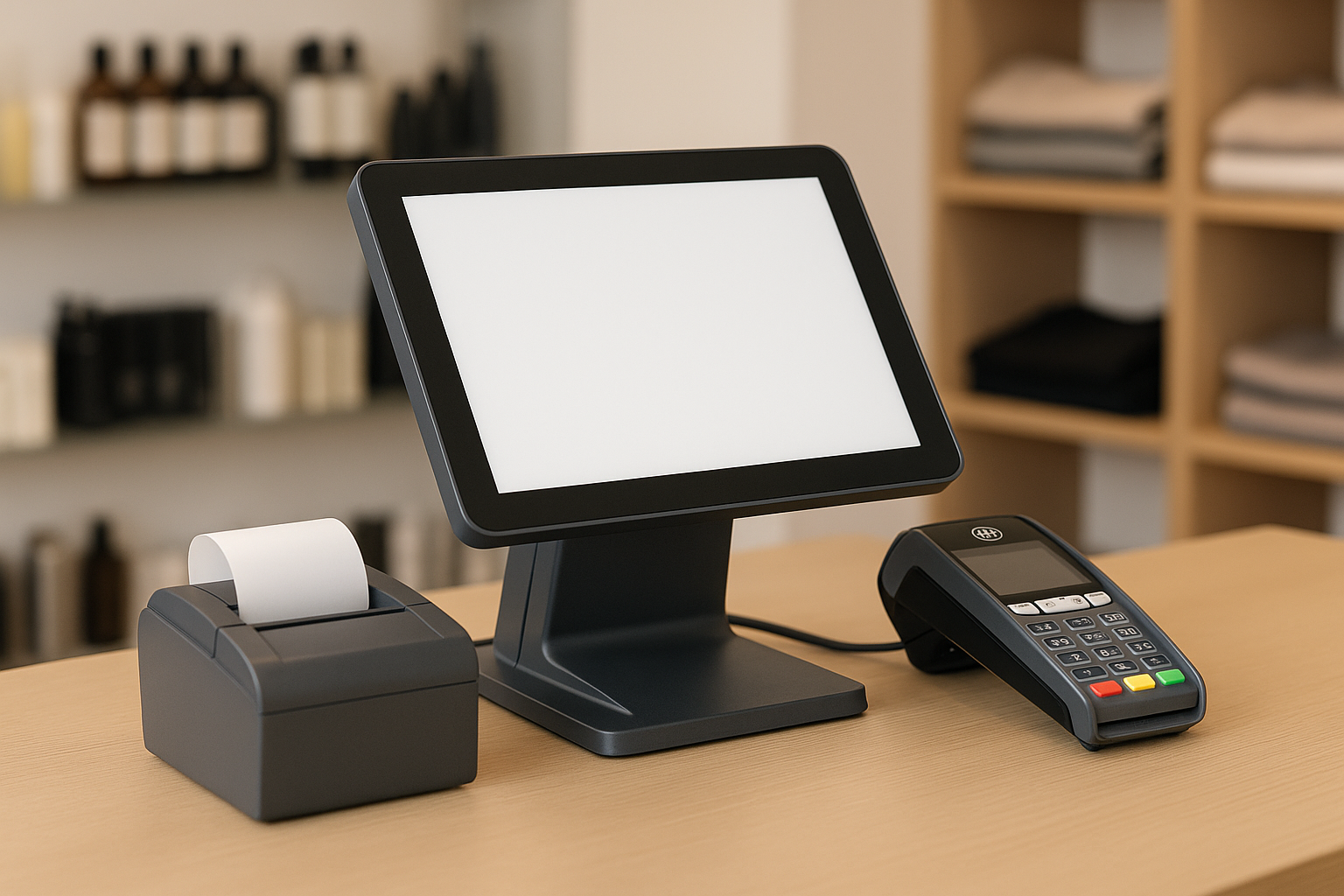
A point of sale (POS) system is the combination of hardware and software businesses use to complete sales transactions. In simple terms, it is where a customer pays for a product or service. But modern POS systems do much more than process payments. They can track inventory, manage staff, store customer information, generate reports, and help business owners make smarter decisions.
Traditionally, a POS system meant a cash register and a receipt printer. Today, it may include a tablet, card reader, barcode scanner, customer display, and cloud-based software. Whether you run a retail store, restaurant, salon, or service business, the right POS system can streamline daily operations and improve the customer experience.
How Point of Sale Systems Work
A POS system works by connecting several parts of a transaction into one streamlined process. When a customer is ready to pay, the cashier or employee enters the items into the system by scanning barcodes or selecting products manually. The POS software calculates the subtotal, adds taxes or discounts, and processes the payment through cash, card, or digital wallet.
At the same time, the system records the sale in the business database. This update can automatically reduce inventory, store transaction history, and track employee performance. In cloud-based systems, this information is often accessible from anywhere, making it easier to monitor sales across multiple locations.
Key Features of a Modern POS System
Payment Processing
One of the most important functions of a POS system is secure payment processing. Modern systems support cash, debit and credit cards, contactless payments, mobile wallets, and sometimes buy-now-pay-later options. The more flexible your payment options, the easier it is for customers to complete a purchase.
Inventory Management
Inventory control is a major advantage of using a POS system. Instead of manually tracking stock, the system can update inventory automatically after every sale. Many POS platforms also provide low-stock alerts, product variants, purchase order tools, and reports that show which items are selling best.
Sales Reporting and Analytics
POS systems give business owners access to valuable data. You can review daily sales, peak shopping hours, average order value, best-selling products, and employee sales performance. These insights help you identify trends, reduce waste, and make better purchasing and staffing decisions.
Customer Relationship Tools
Many POS systems include customer profiles, loyalty programs, and email marketing integrations. These features help businesses build stronger relationships with shoppers by remembering preferences, purchase history, and rewards points. That information can be used to personalize promotions and encourage repeat visits.
Employee Management
Some systems also include staff management features such as time tracking, role-based permissions, and performance reports. This can help owners monitor productivity, manage schedules, and control access to sensitive information.
Benefits of Using a POS System
Implementing a POS system can improve nearly every part of a business’s operations. First, it speeds up checkout and reduces human error. Automatic calculations and barcode scanning make transactions faster and more accurate than manual methods.
Second, it helps businesses stay organized. Sales, inventory, employee data, and customer information are all stored in one place. This reduces the need for spreadsheets and paper records, which can become difficult to manage as a business grows.
Third, a POS system can improve customer service. Faster checkouts, multiple payment options, and loyalty programs create a smoother, more convenient experience for shoppers. In competitive markets, that convenience can make a real difference.
Finally, POS systems support business growth. Because many platforms are scalable, you can start with basic tools and add features as your company expands. This makes them a practical choice for small businesses as well as larger enterprises.
Types of POS Systems
Traditional POS Systems
Traditional POS systems are usually installed on local hardware and stored on-site. They are often used by businesses that prefer a fixed checkout counter and want tight control over their system. These setups may be reliable, but they can be less flexible than newer options.
Cloud-Based POS Systems
Cloud-based POS systems store data online and can be accessed from multiple devices. They are popular because they offer remote access, automatic updates, and easier scaling. Business owners can often log in from a laptop, tablet, or smartphone to check sales and inventory in real time.
Mobile POS Systems
Mobile POS systems run on tablets or smartphones and are ideal for businesses that need flexibility. They are often used at pop-up shops, markets, food trucks, and tableside restaurant service. Mobile POS solutions can reduce wait times and make sales possible anywhere.
How to Choose the Right POS System
Choosing the right POS system starts with understanding your business needs. A retail store may need strong inventory tools and barcode scanning, while a restaurant may require table management, kitchen tickets, and menu customization. A salon or service business may prioritize appointment scheduling and client records.
It is also important to consider ease of use. If your staff can learn the system quickly, you will save time on training and reduce mistakes at checkout. Look for an interface that is intuitive and simple to navigate.
Budget matters as well. Some POS systems charge monthly software fees, hardware costs, payment processing fees, or add-on charges for advanced features. Compare pricing carefully so you understand the full cost of ownership.
Finally, think about integrations and support. The best POS system for your business should connect with accounting software, e-commerce platforms, payroll tools, and marketing apps if needed. Reliable customer support is also essential, especially when sales depend on the system working properly.
Common Industries That Use POS Systems
POS systems are used in many different industries. Retail stores rely on them to manage products, discounts, and inventory. Restaurants use them for order taking, kitchen communication, and payment processing. Cafes and quick-service businesses often depend on POS tools for speed and accuracy.
Service businesses such as salons, spas, and repair shops use POS systems to handle appointments, client data, and payments. Even nonprofits, event vendors, and mobile businesses can benefit from a system that makes transactions faster and easier to track.
Conclusion
Point of sale systems have become essential tools for businesses of all sizes. They do far more than process payments—they help manage inventory, improve customer service, track performance, and support growth. By choosing the right POS system, you can create a more efficient operation and a better experience for your customers.



