
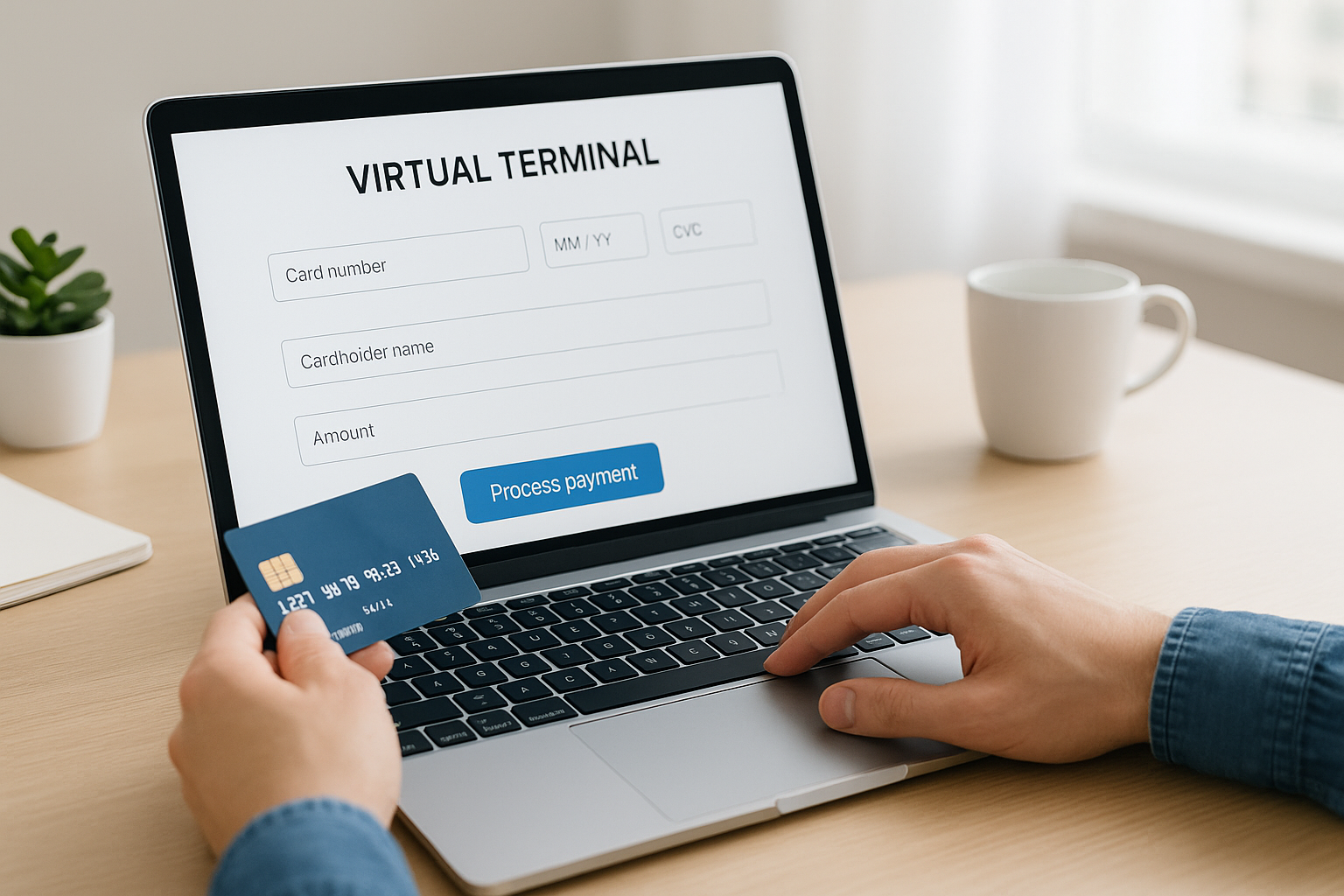
What Is a Virtual Terminal?
A virtual terminal is a web-based payment interface that lets businesses accept card payments without a physical card reader or point-of-sale device. Instead of swiping, tapping, or inserting a card, a team member manually enters the customer’s payment details into a secure online form. This makes it especially useful for phone orders, mail orders, remote billing, and back-office payment processing.
Think of it as a digital version of a traditional payment terminal. It is commonly used by businesses that take payments when the customer is not physically present, such as service providers, hotels, nonprofits, medical offices, wholesalers, and call centers.
How Does a Virtual Terminal Work?
The process is straightforward. A business logs into a secure payment portal, enters the customer’s card information, adds the amount due, and submits the transaction for authorization. The payment gateway sends the data to the card network and issuing bank, which approves or declines the charge in seconds.
Most virtual terminals also let users add notes, create invoices, apply discounts, and store customer profiles for future transactions. Some systems support recurring billing, enabling businesses to charge saved payment methods on a schedule without re-entering details each time.
Typical Steps in a Virtual Terminal Transaction
- Log in to the secure payment dashboard.
- Select or create the customer record.
- Enter the card number, expiration date, and CVV.
- Input the transaction amount and any additional details.
- Submit the payment for authorization.
- Receive confirmation or a decline response.
Key Features of a Virtual Terminal
Virtual terminals can vary by provider, but the best solutions share a few important features that help businesses save time and reduce manual work.
Manual Card Entry
The core function of a virtual terminal is manual entry of card details. This supports transactions when the cardholder is not present, such as over the phone or in a service setting.
Secure Payment Processing
Security is essential. Reputable virtual terminals use encryption, tokenization, and PCI-compliant systems to help protect sensitive payment data. Many also limit access by user role and keep audit trails for every transaction.
Recurring Billing
For subscription businesses or service plans, recurring billing saves time and improves cash flow. Instead of creating each payment manually, businesses can schedule automatic charges at set intervals.
Customer Profiles and Payment Storage
Some systems allow businesses to store customer contact information and payment methods securely. This makes repeat billing and future purchases much faster while improving customer convenience.
Reporting and Transaction History
Detailed reporting helps businesses track sales, refunds, failed transactions, and customer activity. This visibility is valuable for accounting, reconciliation, and customer support.
Benefits of Using a Virtual Terminal
A virtual terminal offers several practical advantages for businesses that need flexibility in how they accept payments.
Accept Payments Anywhere
Because it is browser-based, a virtual terminal can be used from an office, home, or any location with internet access. This is helpful for remote teams and businesses with multiple locations.
Great for MOTO Payments
Mail order and telephone order, often called MOTO payments, are a natural fit for virtual terminals. Businesses can take payments without requiring the customer to be present or to visit a checkout page.
Improves Customer Service
Taking payment over the phone or during a support call can speed up resolution and reduce friction. Customers do not have to wait for links, logins, or in-person visits.
Supports Back-Office Efficiency
Administrative teams can process invoices, deposits, and outstanding balances from one central dashboard. That reduces manual paperwork and can improve cash collection times.
Works Without Extra Hardware
Unlike traditional card terminals, virtual terminals typically require no special equipment. A computer, tablet, or smartphone with internet access may be all that is needed.
Common Use Cases for Virtual Terminals
Many industries benefit from virtual terminal payment processing, particularly those that handle remote or delayed payments.
- Professional services: Law firms, agencies, and consultants can charge retainers or invoice balances by phone.
- Healthcare and dental offices: Staff can process patient balances and recurring treatment payments.
- Hospitality: Hotels can collect deposits, incidentals, and reservation payments.
- Nonprofits: Donation processing becomes easier for phone pledges or donor follow-ups.
- Field services: Contractors and repair businesses can take payment after work is completed.
- Wholesale and B2B sales: Sales teams can close orders and take payment from customers remotely.
Virtual Terminal vs. Payment Gateway vs. POS System
It is easy to confuse a virtual terminal with other payment tools, but each serves a different purpose.
A virtual terminal is mainly for manually entering card details into a secure web form. A payment gateway is the technology that securely transmits payment data between the merchant, bank, and card network. A point-of-sale (POS) system is usually used for in-person transactions and may include hardware such as card readers, receipt printers, and cash drawers.
In many cases, these tools work together. A business may use a POS system in-store, a payment gateway for eCommerce, and a virtual terminal for phone or invoice-based payments.
Security Considerations
Because a virtual terminal handles sensitive payment information, security should be a top priority. Businesses should choose a provider that follows PCI DSS standards and offers tools such as encryption, role-based access, fraud screening, and secure authentication.
It is also important to train staff on proper handling of card data. Employees should never store card numbers in unsecured documents, emails, or spreadsheets. Access should be limited to authorized personnel, and devices used for payment entry should be protected with strong passwords and updated software.
How to Choose the Right Virtual Terminal
When evaluating providers, focus on both features and reliability. The right system should match your workflow and make it easier to accept payments without adding complexity.
Consider the following factors:
- Ease of use: The interface should be simple enough for staff to learn quickly.
- Security: Look for PCI compliance, encryption, and fraud protection.
- Fees: Compare transaction fees, monthly costs, and any setup charges.
- Integrations: Check whether it connects with your accounting, CRM, or invoicing tools.
- Recurring billing: If you bill regularly, automation can save significant time.
- Support: Responsive customer support can be critical when payment issues arise.
Best Practices for Using a Virtual Terminal
To get the most value from a virtual terminal, businesses should develop clear internal processes. Confirm payment details with the customer before submitting a transaction, keep accurate records, and reconcile payments regularly. If you handle card-not-present transactions frequently, create a standard script or workflow so staff follow the same steps every time.
It is also a good idea to review declined transactions, update stored customer profiles when card information changes, and monitor reports for unusual activity. These habits can improve payment success rates and reduce errors.
Conclusion
A virtual terminal gives businesses a flexible, secure, and efficient way to accept payments without physical card-present hardware. Whether you need to take phone orders, process invoices, or manage recurring billing, it can simplify payments and improve the customer experience.



