
What Is Mobile Credit Card Processing?
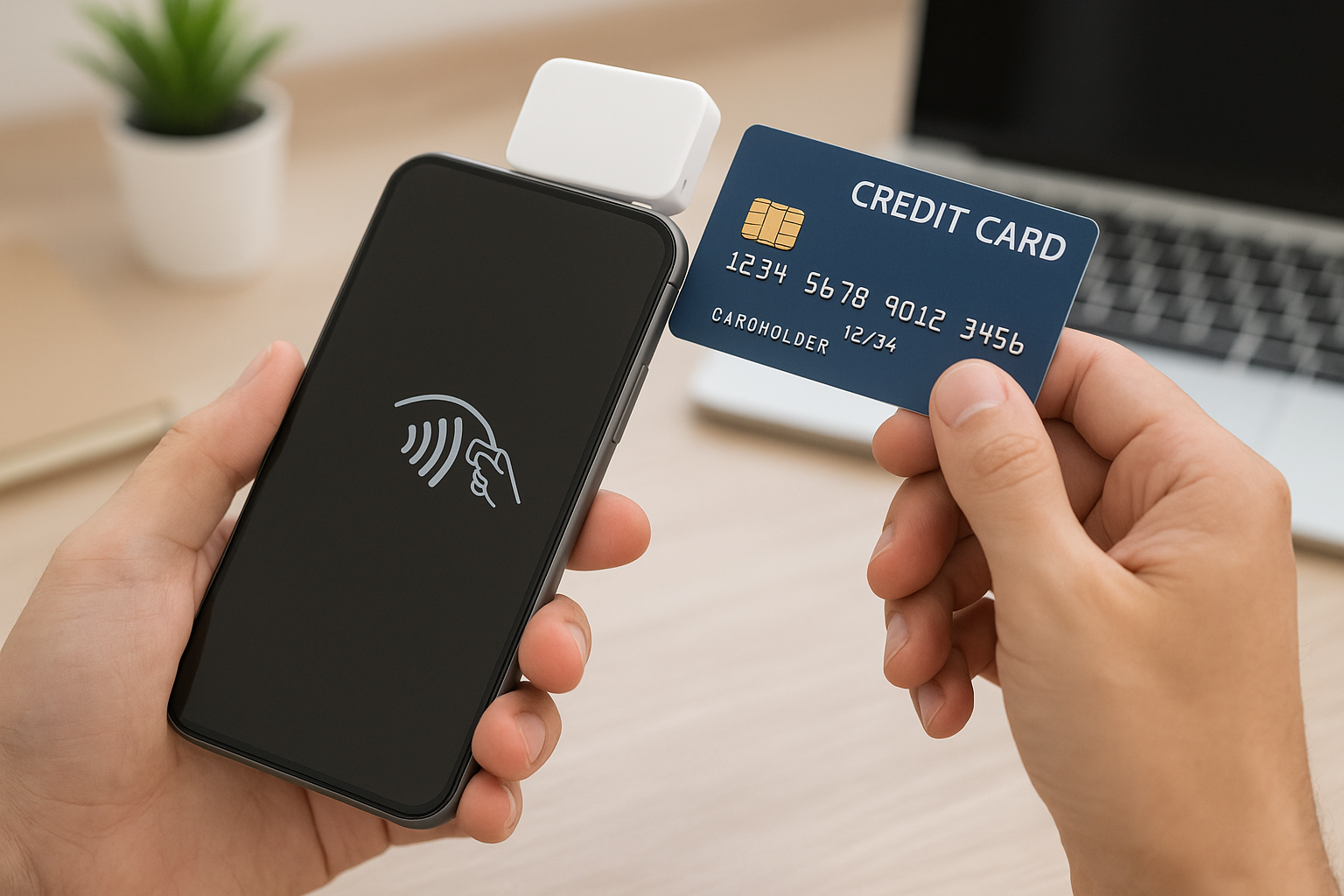
Mobile credit card processing lets businesses accept card payments using a smartphone, tablet, or other portable device instead of a traditional countertop terminal. With the right app, card reader, and payment processor, you can take payments anywhere: at a customer’s door, at a trade show, at a pop-up shop, in a service vehicle, or on the go.
This payment method has become essential for businesses that need flexibility. It combines the convenience of digital payments with the mobility of a small, lightweight setup. For many owners, it removes the need to turn customers away just because they are not standing near a cash register.
How It Works
Mobile credit card processing usually involves three parts: a mobile device, a card reader, and a payment processing app or platform. The card reader may connect through Bluetooth, plug into the charging port, or use contactless payment technology. When a customer pays, the transaction is encrypted and sent through the payment processor for approval.
Most systems support chip cards, tap-to-pay transactions, and digital wallets such as Apple Pay and Google Pay. Some also allow manual card entry, invoicing, or saved customer profiles. The goal is to make payment simple without sacrificing security or reliability.
Benefits of Mobile Credit Card Processing
One of the biggest advantages of mobile credit card processing is convenience. Businesses can accept payments wherever they work, which creates a smoother customer experience and often speeds up the checkout process. That flexibility can also help reduce missed sales and improve cash flow.
Another major benefit is professional presentation. A mobile card reader and payment app can make even a small business look modern and organized. Customers often appreciate the ability to pay by card instead of needing cash or waiting for an invoice.
Mobile processing can also improve operational efficiency. Staff can complete a sale, take a deposit, or send a receipt in seconds. For service businesses, this can mean getting paid immediately after the job is done rather than waiting days or weeks for payment.
For growing businesses, there is also scalability. A mobile system can start small and expand as sales increase. Whether you are a solo operator or managing a team, the same platform can often support multiple users, devices, and payment types.
Common Use Cases
Mobile credit card processing works well across many industries. Contractors and home service providers use it to collect payment on-site once the work is complete. Food trucks and pop-up vendors rely on it to handle fast-moving transactions in busy environments. Market sellers and event vendors use it to stay flexible while serving customers in different locations.
It is also useful for delivery businesses, personal trainers, mobile pet groomers, repair technicians, and professionals who meet clients outside a traditional office. Even brick-and-mortar stores sometimes use mobile processing for line-busting, curbside pickup, or offsite sales events. If your business moves around, mobile payments can move with it.
Key Features to Look For
Not all mobile payment solutions are the same, so it helps to compare features before choosing one. The best option for your business should support the payment methods your customers use most and work reliably in the places you operate.
Security and Compliance
Security should always be a top priority. Look for systems that use encryption, tokenization, and point-to-point security features. A compliant payment provider should also help you meet PCI requirements, which are designed to protect cardholder data. If your business handles sensitive information, secure mobile processing is non-negotiable.
Ease of Use
Your team should be able to learn the system quickly. A clean interface, simple checkout flow, and easy receipt options can save time and reduce mistakes. The best mobile processing tools are intuitive enough to use in real-world conditions, even when you are busy or working in a noisy environment.
Integration With Business Tools
Many businesses benefit from payment systems that integrate with accounting software, inventory tools, customer relationship management platforms, and invoicing systems. These integrations can reduce manual data entry and make bookkeeping easier. If your business already uses digital tools, choose a processor that fits into your workflow.
Offline Capability
Mobile businesses do not always have perfect internet access. A system with offline mode can help you continue accepting payments when connectivity is spotty. Transactions may be stored securely and processed once the device reconnects. This feature is especially valuable for outdoor events, remote locations, or travel-heavy businesses.
Costs and Fees to Expect
Mobile credit card processing typically includes a combination of transaction fees, hardware costs, and possibly monthly software fees. Some providers charge a flat rate per transaction, while others use interchange-plus pricing or tiered pricing. The right model depends on your sales volume, average ticket size, and business type.
Hardware costs can vary as well. A basic card reader may be inexpensive, while a more advanced mobile POS system can cost more but offer features like receipt printing, barcode scanning, or inventory tracking. It is important to compare the total cost of ownership, not just the upfront price.
Also watch for hidden fees such as chargeback fees, PCI compliance fees, statement fees, or early termination charges. A transparent provider will explain costs clearly. Before signing up, ask for a full breakdown so you know exactly what you are paying for.
How to Choose the Right Mobile Payment Solution
The best mobile credit card processing solution is the one that matches your business needs. Start by identifying how and where you accept payments. A food truck, for example, may need fast tap-to-pay transactions and strong offline capability, while a service business may need invoicing and customer record management.
Next, compare providers based on pricing, supported payment methods, hardware compatibility, customer support, and security features. Read reviews and look for a platform with a strong reputation for uptime and reliability. Good customer support matters, especially if payments are central to your daily operations.
You should also think about growth. If your business expands, will the payment system be able to handle more users, locations, or transaction types? Choosing a platform with room to grow can save you from switching systems later.
Best Practices for Using Mobile Credit Card Processing
To get the most from mobile payment processing, keep your devices charged and your software updated. Test your reader before busy shifts, and make sure your team knows how to complete transactions, issue receipts, and handle refunds. A little preparation can prevent delays during service.
It is also wise to maintain a secure setup. Use strong passwords, enable device locking, and avoid public Wi-Fi when possible. Train employees on basic security practices so customer data stays protected. Because mobile payments happen in many environments, consistency matters.
Finally, focus on the customer experience. Make checkout fast, offer multiple payment options, and send receipts by text or email when convenient. The easier you make it to pay, the more likely customers are to return.
Conclusion
Mobile credit card processing gives businesses the freedom to accept payments almost anywhere while keeping transactions secure and efficient. Whether you are a solo service provider or a growing retail operation, the right mobile solution can improve convenience, support sales, and help your business run more smoothly. By choosing a system with the right features, pricing, and support, you can create a payment experience that works wherever your business takes you.



