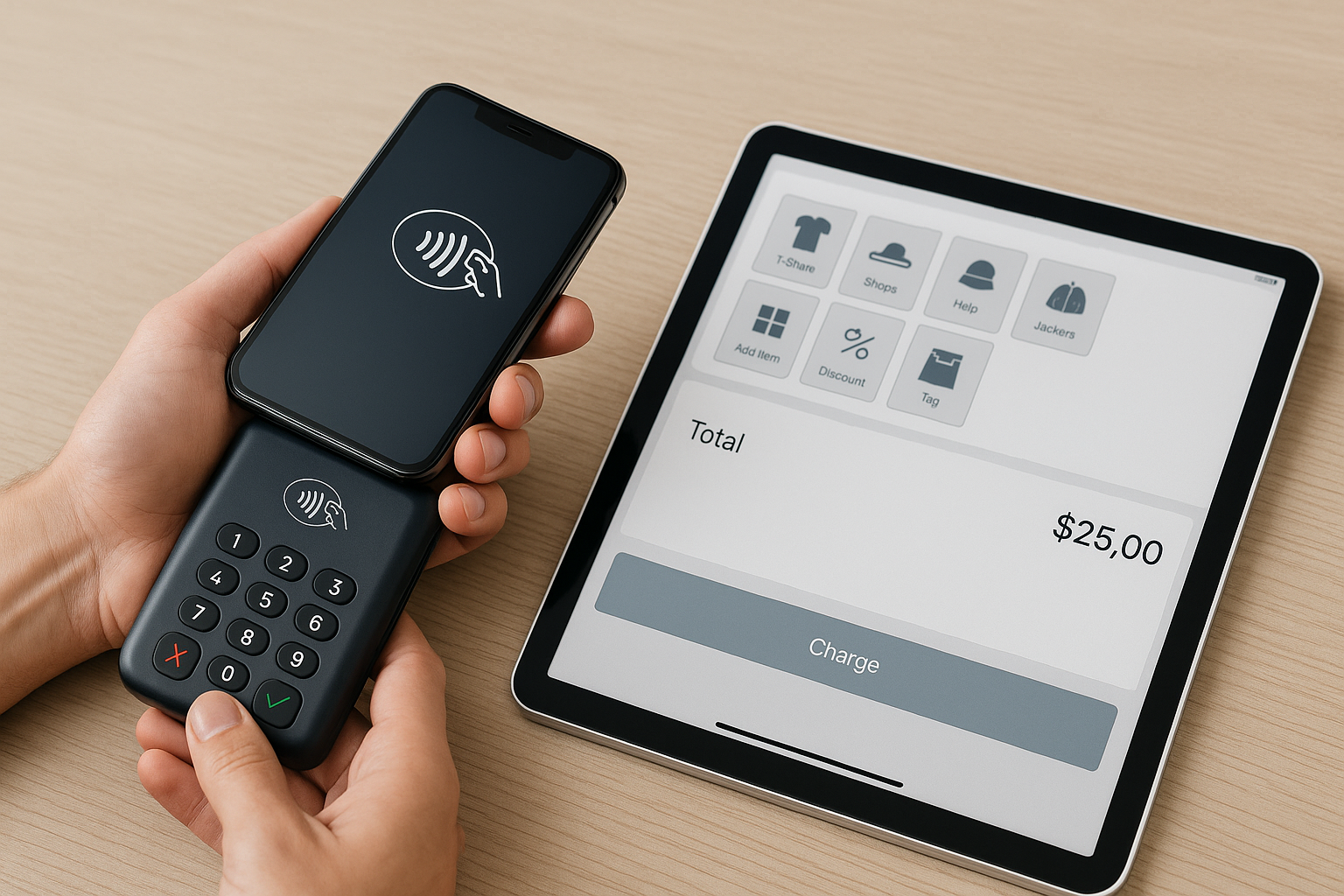
What Is a Mobile POS System?
A mobile POS system is a point-of-sale solution that runs on a smartphone or tablet instead of a traditional countertop register. With the right app and hardware, businesses can accept payments, manage orders, track inventory, and access sales data from almost anywhere. This flexibility makes mobile POS systems especially valuable for retailers, restaurants, service providers, pop-up shops, and businesses that need to move quickly.
Unlike older cash register setups, mobile POS platforms are built for speed, portability, and cloud connectivity. That means transactions can be processed on the sales floor, at events, curbside, or tableside without sending customers to a fixed checkout lane. For many small and midsize businesses, this creates a smoother buying experience and helps staff spend more time serving customers.
Why Businesses Are Adopting Mobile POS Systems
Mobile POS systems have become popular because they solve real operational problems. Customers expect convenience, and business owners want tools that improve efficiency without adding complexity. A mobile system can reduce checkout lines, support flexible selling locations, and make it easier to serve customers wherever they are.
For example, a restaurant can let servers take orders and payments at the table. A boutique can sell items on the floor while checking stock in real time. A contractor or mobile service provider can invoice and accept card payments on-site. In each case, the business saves time and creates a more professional customer experience.
Another major advantage is accessibility. Traditional POS systems often require expensive terminals, setup, and maintenance. Mobile POS systems usually run on devices your team already knows how to use, which can lower training time and reduce upfront costs. Since many are cloud-based, updates and reporting tools are available from any internet-connected device.
Key Features to Look For in a Mobile POS System
Not all mobile POS systems are created equal. The best choice depends on your business model, transaction volume, and growth plans. Here are the core features to evaluate before you commit.
Payment Processing
Your mobile POS should support the payment methods your customers prefer, including credit and debit cards, contactless payments, digital wallets, and possibly cash. Look for fast transaction approval, secure encryption, and transparent processing fees. If you sell in person often, reliable card readers and tap-to-pay functionality are essential.
Inventory Management
Strong inventory tools help you avoid stockouts and overordering. A good system should update quantities automatically after each sale, provide low-stock alerts, and allow product variations such as size, color, or style. For retailers and product-based businesses, this feature can save hours of manual tracking.
Sales Reporting and Analytics
Data helps you make better decisions. Look for dashboards that show daily sales, best-selling items, average ticket size, and employee performance. Mobile access to reports is especially useful for owners who need to review business activity while on the move.
Customer Management Tools
Many modern POS systems include customer profiles, purchase history, and loyalty features. These tools can help you personalize service, build repeat business, and run targeted promotions. If your business relies on repeat customers, customer relationship features are worth prioritizing.
Offline Mode
Internet outages happen, and a reliable mobile POS should still be able to process transactions offline. Once the connection returns, the system should sync sales data automatically. This feature is important for outdoor events, busy retail locations, and businesses in areas with inconsistent connectivity.
Integrations
It is often easier to manage your business when your POS connects with accounting software, e-commerce platforms, payroll tools, and email marketing systems. Integrations reduce duplicate data entry and help keep your operations organized. Before choosing a system, confirm that it works with the tools you already use.
Benefits of Mobile POS for Different Business Types
Mobile POS systems offer advantages across many industries, but the exact benefits vary depending on how you sell.
Retail businesses can use mobile POS to assist customers anywhere in the store, which can improve service and reduce abandoned purchases. Employees can check out shoppers right where they are browsing, rather than making them wait at a fixed register.
Restaurants and cafes benefit from faster table service, simplified order entry, and improved coordination between front-of-house and kitchen teams. Servers can enter orders instantly, reducing errors and speeding up service during busy periods.
Service businesses such as salons, repair shops, and contractors can use mobile POS to invoice clients, accept deposits, and take payment immediately after the job is complete. This shortens the payment cycle and improves cash flow.
Event vendors and pop-up shops gain mobility and convenience. Whether selling at a market, trade show, or festival, a mobile POS system allows you to process transactions quickly without bulky equipment.
How to Choose the Right Mobile POS System
Selecting the right platform starts with understanding your business needs. Begin by identifying how and where you sell, what payment types you accept, and which operational tasks you want the system to handle. A small coffee cart may need a simple, low-cost option, while a multi-location retailer may require advanced inventory and reporting tools.
Next, compare pricing carefully. Many systems charge monthly software fees, payment processing fees, hardware costs, and sometimes add-on charges for advanced features. Make sure you understand the total cost of ownership, not just the advertised starting price.
Ease of use is another important factor. A mobile POS should be simple enough for staff to learn quickly, especially if you hire seasonal or part-time workers. Intuitive navigation, clear button layouts, and straightforward checkout flows can make a big difference in daily operations.
Security should also be a priority. Look for PCI compliance, tokenization, user permissions, and fraud protection tools. Since your POS handles customer payment data, protecting that information is essential for trust and compliance.
Finally, consider customer support. If your system goes down during a busy shift, responsive support can prevent lost sales. Read reviews, check support hours, and learn whether help is available by chat, phone, or email.
Best Practices for Getting the Most from Mobile POS
Once you choose a system, a few best practices can help you maximize its value. First, train your team thoroughly so they can process sales quickly and confidently. Even intuitive systems require practice to avoid mistakes during busy periods.
Second, keep your devices charged and protected. Portable charging accessories, durable cases, and backup equipment can help prevent interruptions. If your staff uses tablets or phones throughout the day, device management matters as much as software selection.
Third, review your data regularly. Sales reports can reveal trends in peak hours, customer preferences, and inventory movement. Use this information to make smarter staffing, purchasing, and marketing decisions.
Finally, update your system and accessories as your business grows. A mobile POS setup that works for a startup may need to evolve as you add locations, employees, or product lines. Choosing a scalable platform can make future expansion much easier.
Conclusion
Mobile POS systems give businesses a flexible, modern way to accept payments and manage sales from almost anywhere. By improving speed, mobility, and access to real-time data, they can help create a better customer experience while supporting smoother day-to-day operations. If you choose a system that fits your workflow and growth goals, mobile POS can become a powerful tool for long-term success.