
Smarter Payment Processing for Growing Businesses
Payment Solutions Built for Modern Business
Every business deserves a payment partner that helps it grow instead of cutting into its profits. At Harlow Payments, we help small and mid-sized businesses reduce payment processing costs, streamline operations, and create better customer experiences through innovative payment technology and dedicated support.
Whether you operate a retail store, restaurant, hotel, service business, eCommerce website, or software platform, Harlow Payments delivers flexible payment solutions designed to help you accept payments faster, safer, and more efficiently. From low-cost credit card processing and advanced point-of-sale systems to embedded payment facilitation and business funding options, we provide everything your business needs under one roof.
Our mission is simple: help business owners keep more of what they earn while providing the technology and support needed to thrive in today’s competitive marketplace.

Credit Card Processing That Saves You Money
Credit card processing fees can quietly drain thousands of dollars from your bottom line every year. Many businesses don’t realize how much they’re overpaying until they review their merchant statements with a payment expert.
Harlow Payments specializes in helping businesses lower their processing costs without sacrificing service, reliability, or security. Our team analyzes your current payment setup and identifies opportunities to reduce fees while improving overall efficiency. We work with businesses of all sizes to create customized merchant processing solutions that align with their unique transaction volumes and customer payment preferences.
With transparent pricing, competitive rates, and a commitment to helping merchants succeed, Harlow Payments provides a smarter alternative to traditional payment processors.
Benefits of Our Merchant Services
- Competitive credit card processing rates
- Customized payment solutions
- Secure payment acceptance
- Fast transaction processing
- Transparent pricing structures
- Ongoing account support
- Flexible payment acceptance options
- Scalable solutions for growing businesses
Whether your customers pay with credit cards, debit cards, contactless payments, mobile wallets, or online payment methods, Harlow Payments ensures every transaction is processed securely and efficiently. Read more.
Advanced Point-of-Sale Systems for Every Business
A modern point-of-sale system does much more than process transactions. Today’s businesses need technology that helps manage inventory, track sales, improve customer service, and simplify day-to-day operations.
Harlow Payments offers powerful POS solutions designed for businesses across multiple industries. Whether you need a countertop terminal, mobile payment solution, restaurant POS system, retail checkout station, or fully integrated payment ecosystem, we can help you find the right technology for your operation.
Our POS systems are built to improve efficiency while delivering a seamless checkout experience for customers. By combining powerful hardware with intelligent software, business owners gain valuable insights into sales performance, customer behavior, and operational trends.
Industries We Serve
- Retail Stores
- Restaurants
- Bars
- Hotels
- Convenience Stores
- Grocery Stores
- Service Businesses
- Professional Offices
- Specialty Shops
- eCommerce Businesses
No matter your industry, Harlow Payments delivers payment technology designed to help you operate smarter and grow faster. Read more.
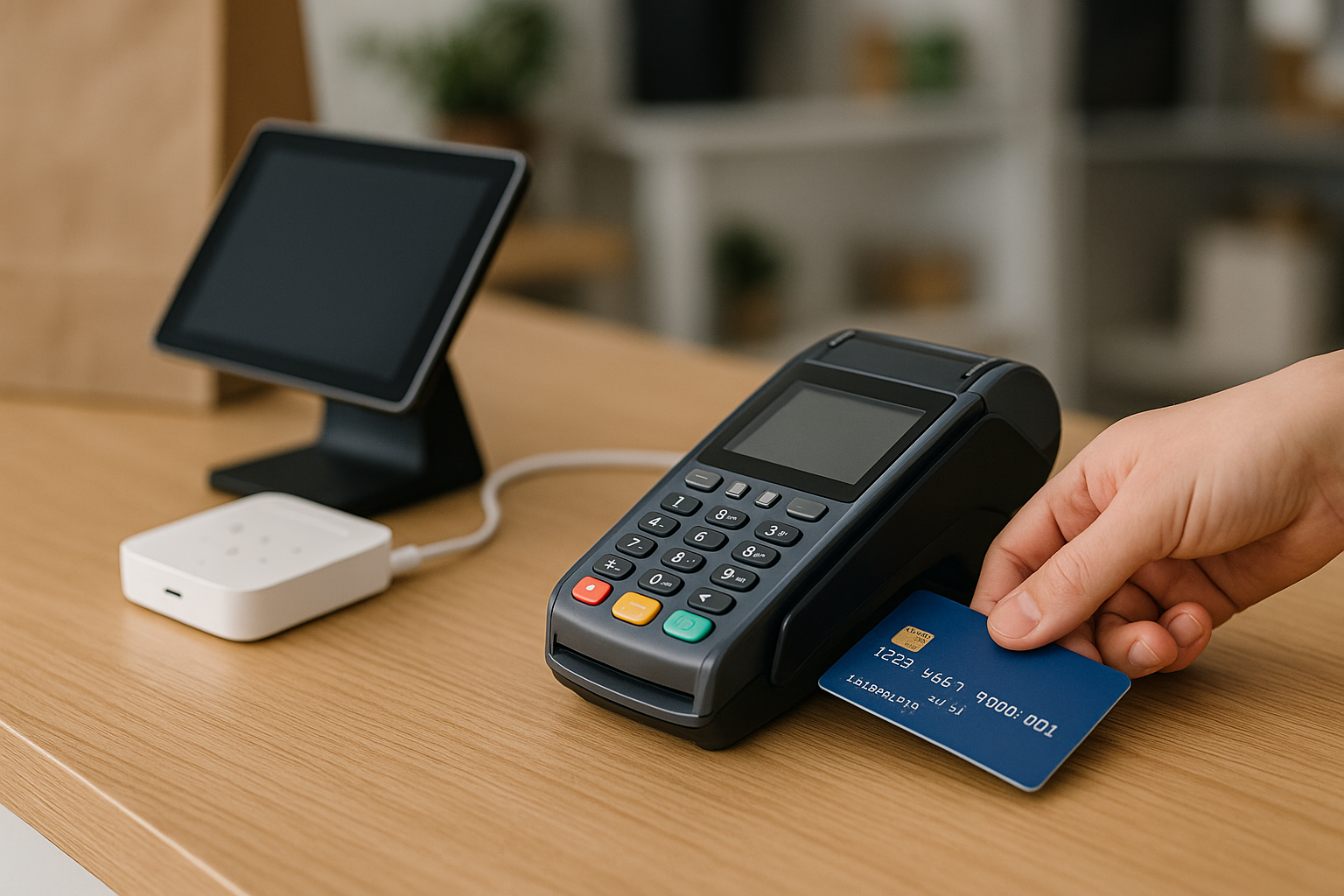
Free POS Equipment Programs
One of the biggest challenges businesses face when upgrading payment systems is the upfront cost of equipment.
Harlow Payments helps eliminate that barrier by offering qualifying merchants access to free POS equipment programs. Businesses can take advantage of advanced payment terminals and point-of-sale technology without the large capital investment often required by other providers.
Our featured payment terminals are designed to deliver:
- Faster checkout experiences
- Enhanced security
- Contactless payment acceptance
- EMV chip card support
- Mobile payment compatibility
- Reliable daily performance
- User-friendly interfaces
The result is a better experience for both employees and customers while helping your business maintain a professional and modern image. Read more.
Secure Payment Technology You Can Trust
Payment security is more important than ever. Consumers expect their personal and financial information to remain protected, and businesses must comply with increasingly strict security requirements.
Harlow Payments prioritizes security at every stage of the payment process. Our technology supports encrypted transactions, secure payment gateways, tokenization, and fraud prevention measures designed to protect both merchants and customers.
By implementing industry-leading security standards, businesses can reduce risk, maintain customer trust, and operate with confidence.
Our payment solutions help protect against:
- Credit card fraud
- Data breaches
- Unauthorized transactions
- Payment security vulnerabilities
- Compliance risks
Security isn’t just a feature—it’s a fundamental part of every Harlow Payments solution. Read more.
eCommerce Payment Processing
Online businesses require payment solutions that are fast, reliable, and optimized for digital commerce.
Harlow Payments offers eCommerce payment processing solutions that enable businesses to accept online payments securely while minimizing processing costs. Whether you operate a standalone online store, subscription service, marketplace, or omnichannel business, our solutions integrate seamlessly with your existing infrastructure.
Our eCommerce solutions help businesses:
- Accept payments online
- Process recurring billing
- Improve checkout experiences
- Reduce cart abandonment
- Increase payment acceptance rates
- Manage transactions efficiently
As online sales continue to grow, having the right payment partner becomes increasingly important. Harlow Payments provides the technology and support businesses need to succeed in the digital marketplace. Read more.
Card-Present and Card-Not-Present Processing
Every business processes payments differently.
Some businesses primarily accept payments in person, while others depend on online, phone, or invoice transactions. Harlow Payments supports both card-present and card-not-present payment environments, allowing merchants to choose the solution that best fits their business model.
Whether you’re processing:
- In-store transactions
- Mobile payments
- Phone orders
- Online purchases
- Recurring subscriptions
- Invoice payments
Harlow Payments delivers secure and efficient processing options tailored to your operational needs. Read more.
Embedded Payments for Software Platforms
Software companies and SaaS providers are increasingly looking for ways to create new revenue streams while improving customer retention.
Harlow Payments offers Embedded PayFac solutions that allow software providers to integrate payment processing directly into their platforms. This creates a seamless user experience while enabling software businesses to participate in payment revenue opportunities.
Benefits of Embedded PayFac include:
- Seamless payment integration
- Improved customer retention
- New recurring revenue streams
- Simplified merchant onboarding
- Secure transaction processing
- Faster platform adoption
- Scalable infrastructure
For software companies seeking a competitive advantage, embedded payments have become a critical growth strategy. Read more.
Dedicated Merchant Support
Technology is important, but great service is what truly separates a payment provider from the competition.
At Harlow Payments, merchants receive ongoing support from experienced payment professionals who understand the challenges business owners face every day. Whether you have questions about your account, need assistance with equipment, want to review your rates, or require transaction support, our team is available to help.
Support services include:
- POS system assistance
- Equipment troubleshooting
- Billing support
- Account management
- Transaction assistance
- Rate reviews
- Chargeback guidance
- Merchant onboarding support
We believe payment processing should be simple, and that starts with responsive customer service. Read more.
Why Businesses Choose Harlow Payments
Business owners have countless payment processing providers to choose from. The reason many choose Harlow Payments comes down to a few key advantages:
Lower Costs
We help businesses identify opportunities to reduce payment processing expenses while maintaining high-quality service.
Personalized Solutions
Every business operates differently. We customize payment solutions based on your specific needs and goals.
Modern Technology
From advanced POS systems to embedded payment infrastructure, our solutions are designed for today’s evolving business environment.
Industry Expertise
With decades of combined payment industry experience behind our leadership and operational teams, we understand what businesses need to succeed.
Ongoing Support
Our relationship doesn’t end after installation. We continue supporting merchants as their businesses grow and evolve. Read more.
Partner with Harlow Payments Today
Your payment processor should do more than process transactions. It should help you lower costs, improve efficiency, increase profitability, and deliver a better experience for your customers.
Harlow Payments combines industry-leading merchant services, advanced POS technology, embedded payment solutions, business funding options, and dedicated customer support to help businesses achieve exactly that. Whether you’re launching a new business, switching providers, upgrading your payment technology, or looking for ways to reduce processing fees, our team is ready to help.
Join the growing number of businesses that trust Harlow Payments for secure, reliable, and affordable payment processing solutions.
Contact Harlow Payments today and discover how much your business could save while gaining access to the tools and support needed to grow with confidence. Read more.
Frequently Asked Questions
Quick overview
Merchant account is a bank account (or banking relationship) that receives settled card payments. Payment gateway is the software that captures card details, sends the transaction for authorization, and returns an approval or decline.
The two work together but serve different roles:
- Customer pays: card data is entered on your site or terminal.
- Gateway routes the data: securely transmits the authorization request to processors and card networks.
- Authorization: the card issuer approves or declines the charge.
- Settlement: approved transactions are batched, processed, and funds are deposited to the merchant account.
Practical implications
- If you use an all-in-one provider (aggregator), they act as gateway + merchant account under a single relationship — easier setup, but often higher per-transaction fees and less control.
- Large or specialty merchants often use separate gateways and merchant accounts to negotiate lower rates, get advanced features, and control settlement timing.
Choose separate services for volume, pricing control, or custom integrations; choose an all-in-one gateway for simplicity and fast onboarding.
Quick overview
Credit card processing cost varies by business type, transaction method, and pricing model. Expect online transactions to run higher than in-person card-present sales. Typical small-business effective rates fall between about 1.5% and 3.5% of sales, but your actual cost depends on several components.
Typical cost components
- Interchange: Network-set fees paid to the card-issuing bank; the largest portion of cost.
- Assessment fees: Small network charges from Visa, Mastercard, etc.
- Processor markup: Your merchant services providers margin (flat fee, percentage, or interchange-plus markup).
- Per-transaction fees: A fixed cent amount charged each sale.
- Other fees: Monthly gateway, terminal rental, chargeback, PCI, setup, or batch fees.
How to estimate
Estimate monthly cost = (monthly sales x average % fee) + (number of transactions x per-transaction fee) + monthly fixed fees. Example: $10,000 sales at 2.5% + $0.25 and 200 transactions = $250 + $50 + fixed fees = ~$300 plus any monthly charges.
Ask potential providers for an itemized statement or a true-cost example for your sales mix, compare effective rates, and watch for bundled or hidden fees.
Where encryption is applied
Encryption protects cardholder data in two common places: in transit (between card reader, gateway, and processor) and at rest (stored tokens, backups, databases). Different algorithms and architectures are used depending on performance, risk, and regulatory needs.
Common methods
- TLS (Transport Layer Security) — secures network traffic. Use modern versions (TLS 1.2+) and strong cipher suites with perfect forward secrecy.
- Symmetric encryption (AES-256) — fast and ideal for encrypting stored data and large payloads.
- Asymmetric encryption (RSA/ECDH) — used for key exchange and digital signatures; often combined with symmetric ciphers for performance.
- Point-to-point / end-to-end encryption (P2PE/E2EE) — encrypts card data at the terminal and only decrypts inside a secure processor, reducing exposure.
- Tokenization — replaces card numbers with non-reversible tokens so systems avoid storing sensitive data.
Best practices
- Use HSMs or managed key stores and rotate keys/certificates regularly.
- Disable weak ciphers, enable PFS, and enforce strict certificate validation.
- Avoid storing PANs unless necessary; log only masked data.
- Test encryption end-to-end and monitor for failures; choose processors that support certified P2PE/E2EE solutions.
If you need help selecting or validating an approach, consult your payment provider or a security engineer to align encryption with your architecture and compliance obligations.
Quick overview
Hidden merchant fees are charges that aren’t clearly disclosed in marketing or that appear as vague line items on your processing statement. They can quietly add 5–30% to what you think you’re paying.
Common examples
- Monthly statement or platform fees billed separately from the quoted rate.
- Batch, authorization or per-transaction fees that show up for every settlement or attempt.
- Non-qualified/discount fees or “downgrade” fees when transactions don’t meet card network rules.
- PCI, compliance or gateway fees and phantom equipment or support charges.
- Early termination, chargeback retrieval, reserves or rolling reserves held against future payouts.
How to spot and stop them
- Request a full fee schedule and a sample monthly statement before signing.
- Review line-by-line: match per-transaction counts to your sales logs.
- Ask for itemized interchange + markup reporting or equivalent transparency.
- If you find unexpected charges, escalate to the provider’s billing/compliance team, demand a written explanation, and request a refund for incorrectly billed items.
- Consider an independent statement audit or switching providers if transparency isn’t provided.
Document everything and keep contract copies—most surprises come from vague contract language and auto-renew clauses.
Tiered pricing is a merchant-services rate structure that groups card transactions into a few buckets—commonly qualified, mid-qualified, and non-qualified—and applies a different markup to each bucket rather than passing through the card brands’ actual interchange rates.
How transactions get placed into tiers
- Card type and network: consumer debit, rewards, corporate or premium cards often migrate to higher tiers.
- Entry method: chip-present/swiped transactions usually qualify for better tiers; keyed or card-not-present sales often land in worse tiers.
- Transaction data: missing AVS, CVV, or incomplete authorization details can prevent a transaction from qualifying for the lowest tier.
What to watch for
- Statements that show only bundled tier rates without interchange detail are a sign of tiered pricing and lower transparency.
- Ask your provider to define each tier and give examples of transactions that fall into them so you can adjust capture practices.
- Tiered plans can be simple to manage but may produce unpredictable effective rates when many transactions move into higher tiers.
Knowing the categorization rules lets you optimize how cards are accepted and identify whether tiered pricing is appropriate for your business needs.
Quick answer
Flat rate credit card processing charges a single, predictable fee structure (typically a single percentage plus a fixed cent amount per transaction) for all card types and channels. It bundles interchange, network, and processor markup into one advertised rate so you don’t need to parse interchange tables.
When it’s a good fit
- Small or new businesses with low to moderate volume and mostly similar-ticket sales who value predictability over absolute lowest cost.
- Mobile/seasonal sellers or pop-up shops that want simple pricing without comparing statement line items.
- Merchants who don’t want to manage rates and prefer a set percentage for budgeting.
When to avoid it
- High-volume or high-ticket businesses — flat rates often cost more than interchange-pass-through pricing.
- Companies with mixed transaction types (card-present, keyed, international) — those can carry higher blended fees under flat pricing.
Practical checks: compare effective monthly rates, read the contract for excluded transaction types, watch for monthly minimums, chargeback fees, and whether the “flat” rate truly applies to all cards and channels.
Law firms must balance client convenience with strict trust-account and ethical duties. Plan your payment flows, documentation, and reconciliations before accepting cards.
Best practices
- Use firm-named merchant accounts: Open accounts in the law firm’s name and work with your bank/processor to separate trust (IOLTA) and operating receipts.
- Route deposits correctly: Choose a processor that supports split deposits or separate processing streams so retainers go to the trust account and fees to operating accounts.
- Obtain written client authorization: Document consent for credit-card payments, who is responsible for fees, and refund/chargeback handling.
- Keep transaction-level records: Store detailed receipts, authorization codes, and reconciliation logs to meet bar reporting and audit requirements.
- Handle refunds and chargebacks carefully: Return disputed funds to the client’s trust account when appropriate and document the decision process.
- Follow state bar rules: Check local ethics opinions on convenience fees, processing fees, and use of electronic payments.
When in doubt, consult your bank, payment processor, and bar counsel to configure accounts and policies that preserve client funds and meet ethical rules.
Contractors commonly need to take deposits, progress draws and final payments. Handling those with credit cards requires understanding authorizations, captures and card-on-file workflows.
Authorization vs capture
- Pre-authorization: Place an authorization hold to verify funds and lock an amount—holds typically last about 7–30 days depending on the issuer. Capture (complete the charge) before the hold expires.
- Partial/ staged captures: Use a payment gateway that supports multiple captures against a single authorization if you plan to charge portions while the authorization is valid.
When work spans beyond the hold window
- Tokenize the card: With the cardholder’s written consent, store a token (not the PAN) to charge future progress payments. This avoids repeated card-entry and reduces PCI scope when using a compliant gateway.
- Get clear consent: Have clients sign an agreement or authorization that outlines amounts, schedule, change-order procedures and refund policies.
Operational tips
- Itemize invoices and keep signed contracts, change orders and job photos to defend against disputes.
- If a charge amount changes materially, obtain a new authorization.
- Confirm your processor supports split captures, tokenization and stored-credential indicators for card-on-file charges.
These steps reduce declines and disputes while keeping you compliant; check with your merchant provider for gateway-specific features and network rules.
Overview: 2026 will bring faster settlements, stronger fraud defenses, new regulation, and changing checkout expectations. Merchants should focus on operational resilience, customer experience, and data controls.
Key trends
- Real‑time and instant settlement: Demand for faster payouts and accounting reconciliation will push processors to offer near‑real‑time settlement options.
- Advanced fraud prevention: Machine learning, device and behavioral biometrics, and risk orchestration will become default tools to reduce fraud without blocking good customers.
- Regulatory and data‑residency pressure: More jurisdictions will require local data handling and stricter privacy controls; expect compliance costs and contract changes.
- Checkout diversification: Growth in BNPL, tokenized wallets, and embedded payments will require flexible APIs and multiple payment flows.
- Cloud‑native processors & API ecosystems: Modern, modular platforms will replace legacy gateways, enabling faster integrations and omnichannel consistency.
- Sustainability and reporting: ESG considerations will influence vendor selection and reporting requirements.
Merchant action checklist
- Ask providers about instant settlement options and fraud toolkits.
- Confirm data residency, encryption, and tokenization details.
- Evaluate API flexibility to add BNPL/wallets and omnichannel flows.
- Plan budget for evolving compliance and monitoring requirements.
Taking these steps now will reduce disruption and improve both security and conversion in 2026.
Essential donor reporting and receipt features for nonprofits
Choose a processor that makes donor stewardship and bookkeeping simple. Look for built-in features that capture donation details, automate tax documentation, and export clean data for accounting or CRM systems.
- Automated tax receipts — customizable receipts that include nonprofit name and EIN, donation date, amount, and an acknowledgement statement for tax deductibility.
- Recurring-donation tracking — clear history of scheduled gifts, status, next charge date, and ability to pause or update payment methods.
- Donor profiles & giving history — searchable records with contact info, soft credits, and channel attribution (web, text, event).
- Exportable reports — CSV/Excel and native integrations for QuickBooks/major CRMs to simplify reconciliation and year-end reporting.
- Batch settlement & fee breakdown — daily/weekly batch reports showing gross donations, fees, chargebacks, and net transfers.
- Custom fields & segmented reporting — campaign, fund, or appeal tagging for targeted reports and receipts.
Quick setup steps: 1) test receipt formatting and required tax language; 2) enable automated receipts and recurring notifications; 3) schedule monthly reconciliations and export donor data to your CRM/accounting system.
Overview
Integrating B2B payment processing with your ERP and AP streamlines invoice-to-pay workflows, reduces manual data entry, and speeds reconciliation. The goal is automated matching of invoices, approvals, and remittance so payments post with minimal exceptions.
Steps to integrate
- Map your workflow. Document PO, invoice, approval, and payment steps plus the reference fields (invoice number, PO#, vendor ID) that must flow between systems.
- Pick a payments partner or connector. Choose a provider that supports B2B rails (ACH, virtual card, wire), machine-readable remittance details, APIs, and prebuilt ERP connectors for platforms like NetSuite, SAP, or Oracle.
- Define data formats. Agree on file formats and payloads (CSV, NACHA, ISO20022 or API JSON) and map fields to ERP/AP master data.
- Automate matching and exceptions. Enable two- or three-way matching in AP to auto-approve routine payments and route exceptions to reviewers.
- Test and validate. Use sandbox environments, run reconciliation tests, and verify remittance details and settlement timing.
- Deploy in phases. Start with a vendor subset, monitor reports and exceptions, then scale across suppliers and entities.
Consider multi-entity and multi-currency flows, detailed remittance reporting for reconciliation, and clear audit trails for compliance and vendor inquiries.
Overview
HIPAA applies when payment transactions include or are linked to protected health information (PHI). That changes vendor selection, data flows, and contract requirements: any processor that creates, receives, maintains, or transmits PHI on your behalf is typically a business associate and must be managed accordingly.
Key requirements
- Business Associate Agreements (BAAs) — sign a BAA with payment vendors that handle PHI.
- Minimum necessary — share only the PHI required for the transaction or reconciliation.
- Access controls & audit logging — restrict who can view combined payment+clinical records and keep logs for investigations.
- Data protection — encrypt PHI in transit and at rest and apply strong authentication to portals that display billing information.
Practical steps
- Map where PHI and payment data intersect (EHR, billing platform, payment gateway).
- Select vendors that will sign BAAs and can document security controls.
- Limit retention and de-identify records when possible.
- Include HIPAA clauses in contracts and test incident response coordination with your processor.
Following these controls lets you accept payments without exposing PHI or creating regulatory risk while maintaining a smooth patient billing experience.
How tokenization enables recurring billing
When a customer first enters card details, the payment processor replaces the primary account number (PAN) with a token stored in a secure vault. The merchant stores and uses that token for subsequent recurring charges instead of the raw card data, so repeat billing happens without re-entering sensitive information.
Token types and lifecycle
Tokens can be single-use or multi-use and are often scoped to a specific merchant or processor. They may have expiration or require reauthorization when the underlying card changes. Processors provide token-management features such as card-on-file updates and token rotation to handle renewals, declines, and card replacements.
Best practices
- Use a PCI-compliant token service provider: offload vaulting to reduce your risk and scope.
- Support account-updater services: ensure subscriptions continue after card reissues or replacements.
- Implement retry and decline-handling logic: notify customers and request updated payment methods promptly.
- Plan for portability: understand token migration options if you change processors.
Tokenization makes recurring billing simpler and safer, but you must pair it with good lifecycle and decline-management processes to maintain reliable subscription revenue.
Protect payment data in development and staging
Development and staging systems are high-risk if they contain real payment data. Follow the principle of least exposure: avoid using production cardholder data and keep test environments out of scope for live processing.
- Never use real card numbers. Use processor-provided test card numbers or synthetic data that mimics formats but contains no real PII.
- Tokenize or vault any payment identifiers used in test flows so raw PANs are never stored in dev systems.
- Segregate networks and databases for dev/stage; mirror architecture but not data. Restrict access with role-based controls and MFA.
- Scrub logs, analytics, and error reports to remove or mask payment data before they leave the environment.
- Use secrets managers for API keys and rotate credentials; avoid hard-coding keys in code or config files.
- Run static and dynamic scans, plus regular data-discovery jobs to detect accidental card data in repos or backups.
- If production data must be used temporarily, require documented approval, time-limited access, enhanced monitoring, and secure deletion afterward.
Implementing these controls reduces breach risk and keeps development work compliant and safe.
PCI DSS: core requirements at a glance
The Payment Card Industry Data Security Standard (PCI DSS) defines 12 high-level requirements organized to protect cardholder data and maintain a secure payment environment. Below is a concise summary of each requirement and what it means for a merchant.
- Install and maintain a firewall — control traffic into and out of cardholder data environments.
- Do not use vendor-supplied defaults — change default passwords and settings on all systems.
- Protect stored cardholder data — limit storage, mask PANs, and use strong controls if storage is necessary.
- Encrypt transmission of cardholder data — use strong cryptography for data in transit across open networks.
- Use and regularly update anti‑malware — deploy anti‑virus/anti‑malware and keep signatures current.
- Develop and maintain secure systems — apply security patches and follow secure coding practices.
- Restrict access to cardholder data — apply least privilege and need‑to‑know controls.
- Assign unique IDs and authenticate users — ensure individual accountability and strong authentication.
- Restrict physical access — prevent unauthorized physical access to devices and media.
- Track and monitor access — log activity and regularly review logs for suspicious events.
- Test security systems and processes — run vulnerability scans, penetration tests, and monitor controls.
- Maintain an information security policy — document, communicate, and enforce security roles and responsibilities.
Implementing these controls, documenting them, and demonstrating effective operation are key to achieving and maintaining PCI compliance.
Overview
To accept NFC (contactless) payments you need a combination of certified hardware, payment software, and a processor that supports contactless tokenized transactions. Below are the essential components and quick setup steps.
Core hardware
- NFC-enabled card reader or terminal — a countertop or portable EMV/contactless device with an NFC antenna.
- Mobile reader (optional) — a Bluetooth dongle or integrated smartphone/tablet reader that supports contactless taps.
- Reliable network connection — Wi‑Fi, Ethernet, or cellular data for real‑time authorization.
Core software & services
- POS or payment app that supports contactless flows and presents the correct prompts to customers.
- Payment gateway/processor with contactless and tokenization support (so card data isn’t stored on your device).
- Firmware and certifications — terminal firmware must include EMV/contactless kernels and be certified by your processor and card networks.
Quick setup steps
- Choose a processor that explicitly supports NFC/contactless.
- Purchase or lease a certified contactless terminal and install vendor firmware.
- Integrate or enable contactless in your POS and run processor test transactions.
- Train staff and place contactless signage at checkout.
If you use a third‑party POS, confirm the vendor handles terminal certification and tokenization to avoid integration headaches.
Allowing staff to use personal devices for mobile POS boosts flexibility but increases risk. Implement clear technical controls, policies, and monitoring to protect payment data and reduce fraud.
Best practices
- Enroll devices in MDM or a company profile: Require device enrollment to enforce settings, app allowlisting, and policy compliance.
- Allow only approved POS apps: Use app allowlisting and restrict sideloading to prevent malicious software.
- Enforce OS and app updates: Require automatic security patches to close known vulnerabilities.
- Require strong authentication: Use device PIN/biometrics plus MFA for the POS app and administrative access.
- Protect data in transit and at rest: Use TLS, tokenization and device encryption so card data never sits in cleartext on the device.
- Use secure networks: Prefer cellular or company Wi‑Fi with WPA2/3 and VPN; block public Wi‑Fi for transactions.
- Enable remote wipe and lock: Have the capability to lock or erase lost/stolen devices immediately.
- Limit permissions and separation: Minimize app privileges and keep business data separate from personal apps.
- Monitor, log and audit: Track device enrollments, transaction anomalies, and failed logins; review regularly.
- Train staff and define policies: Publish BYOD rules, incident procedures, and consequences for noncompliance.
Omnichannel payments let customers pay through multiple connected touchpoints (online, in-store, mobile app, marketplaces) while keeping a single unified experience and a single payment record. The goal is consistent payment options, saved payment methods, and seamless order flows across channels.
Benefits
- Higher conversions: fewer abandoned carts when customers use familiar methods.
- Better customer experience: saved cards, loyalty, and receipts work across channels.
- Simplified operations: centralized reporting and reconciliation.
How to implement
- Choose a platform that supports omnichannel operations: one payment gateway or processor with tokenization, subscriptions, and mapped payment methods.
- Integrate systems — connect your e-commerce, POS, CRM, and mobile app so customer profiles and tokens sync in real time.
- Standardize checkout flows and accepted methods (cards, wallets, buy-now-pay-later) so the experience is consistent.
- Ensure security & compliance (PCI, EMV, encryption, 3-D Secure) and set up centralized fraud rules and reporting.
- Test and monitor: run pilot rollouts, track metrics, and refine refunds/reconciliation processes.
Start with a payments partner experienced in omnichannel setups and prioritize integration and tokenization to minimize PCI scope and operational friction.
Practical steps to prevent chargebacks
Preventing chargebacks combines clear communication, strong fraud controls, and reliable fulfillment. Follow these steps to reduce disputes and lost revenue.
- Clear product pages and billing descriptors: Use accurate descriptions, photos, and a recognizable merchant name on customer statements to avoid “I didn’t recognize this charge.”
- Transparent refund and shipping policies: Post easy-to-find return, refund, and shipping timelines. Offer a simple self-service returns process to resolve issues before a chargeback.
- Secure checkout and fraud checks: Require CVV and AVS verification, enable 3D Secure for e-commerce, and apply velocity and risk scoring rules for high-value or unusual orders.
- Document the order lifecycle: Store order confirmations, delivery tracking, IP and device data, customer communications, and signed receipts for card-present sales.
- Confirm delivery and require signatures for high-risk items: Use tracked shipping and signature-on-delivery for costly or easily resold goods.
- Proactive customer service: Train support to resolve billing questions quickly and issue refunds when appropriate to prevent escalations.
- Monitor and act on patterns: Review dispute trends monthly and adjust fraud rules, product listings, or fulfillment practices accordingly.
Immediate actions to contain and respond to fraud
Act quickly and methodically. Follow these prioritized steps to limit loss, preserve evidence, and restore secure operations.
- Contain the incident — suspend affected terminals/accounts, take compromised devices offline, and stop any recurring or batch processing tied to the breach.
- Notify your acquirer and payment processor — report the fraud immediately so they can block cards, freeze settlements if needed, and advise on next steps.
- Preserve evidence — save transaction logs, receipts, terminal logs, timestamps, network logs, and CCTV footage; do not alter or delete files.
- Change access credentials — rotate passwords, API keys, keys for payment integrations, and terminate suspicious user sessions.
- Inform customers and comply with breach rules — if cardholder data was exposed, follow legal and card-brand notification requirements and offer guidance (e.g., monitor statements, replace cards).
- Engage investigators — work with your processor’s fraud team, a forensic PCI assessor, or law enforcement if the breach is significant.
- Remediate and monitor — patch vulnerabilities, update POS software/firmware, enable stronger controls (tokenization, 3DS, MFA), and intensify transaction monitoring for 30–90 days.
Document every action and communication to support chargebacks, insurance claims, and any required compliance reporting.
What the liability shift means
EMV liability shift is the rule that assigns fraud losses to the party in the payment chain with the least-secure technology when an EMV-capable card is used in a non-EMV-capable way. In practice, if a counterfeit or fraudulent transaction occurs and the merchant’s terminal can’t properly read the chip, the merchant—not the card issuer—can be held financially responsible.
Practical impact for merchants
- Greater risk if your terminals are outdated: Using swipe-only or non-EMV devices increases your exposure to chargebacks and fraud liability.
- Card-present fraud shifts to you: Even if a customer’s card has a chip, liability can fall to you when your terminal forces fallback to a magnetic stripe.
- Exceptions exist: Liability depends on the transaction type (e.g., contactless, online) and whether acquirers or issuers support EMV.
Steps to protect your business
- Upgrade to EMV-certified terminals and enable chip/contactless acceptance.
- Train staff to insert/tap cards and decline forced swipes when policy allows.
- Keep transaction records and receipts to support disputes.
- Work with your processor to confirm EMV settings and compliance.
Typical limits and who sets them
Contactless transaction limits are set by card networks, issuers and local regulators, so they vary by country and card. Typical single‑tap limits commonly fall in a range from roughly $25–$200 (or equivalent). Some markets have higher caps (e.g., recent increases in the UK), while others keep lower thresholds. Issuers can also require additional verification (PIN, chip insertion) after a certain number of contactless transactions or once cumulative spend exceeds a threshold.
How limits affect checkout
- Below the limit: Cardholder taps and the transaction usually completes without PIN or signature.
- Above the limit: The terminal will prompt for chip insertion or PIN, or request an online authorization that triggers stronger verification.
- Consecutive taps: Multiple low‑value taps in succession can trigger a verification requirement even if each is below the limit.
What merchants should do
Confirm limits with your acquirer, keep terminals certified for contactless and EMV fallback, train staff on fallback flows, and display clear signage. If a tap is declined for verification, follow terminal prompts rather than attempting multiple taps.
What is a digital wallet payment?
Digital wallet payments let customers store payment methods (cards, bank accounts, or stored value) on a mobile device or browser and pay without handing over physical card details. Popular examples include Apple Pay, Google Wallet, and in-app wallets.
How they work
- Set up: User adds a card or bank account to the wallet app; the wallet securely stores a reference token or encrypted credential.
- Checkout: At a merchant the consumer pays via NFC/tap, QR code, or an in-app/browser button.
- Authentication: The wallet requires a biometric, PIN, or device unlock to authorize the payment.
- Authorization & settlement: The wallet sends a tokenized transaction to the payment network and issuer for approval; funds are later settled to the merchant.
Security and practical benefits
- Reduces exposure of real card numbers and speeds checkout.
- Supports contactless payments and better fraud controls via device-level authentication.
- Widely accepted online and increasingly at physical point-of-sale terminals; verify merchant support before relying on it exclusively.
How EMV chip cards improve security
EMV (Europay, MasterCard, Visa) chip cards store data on a microprocessor that creates a unique cryptographic code for each transaction. Unlike magnetic stripes, which transmit static card data that can be copied, the EMV chip generates a one-time cryptogram so a cloned card cannot be used for another transaction.
Key benefits
- Reduced card-present fraud: makes counterfeit and cloned-card fraud much harder.
- Dynamic transaction data: each authorization uses a unique code, improving authentication.
- Supports PIN and contactless modes: adds layers (chip+PIN or chip+contactless) for stronger verification.
- Compatibility with other controls: works with tokenization, backend fraud scoring, and 3DS for omnichannel protection.
Limitations and what merchants should do
EMV does not stop card-not-present (CNP) fraud in e-commerce. To maximize protection, deploy EMV-capable terminals, enable required software updates, accept contactless transactions where appropriate, train staff on EMV prompts, and pair EMV with CNP fraud prevention (AVS, CVV, 3DS, tokenization). Combined, these layers significantly strengthen payment security for in-person and online sales.
Payment gateways face targeted attacks ranging from card-data theft to service disruption. Understanding common vectors helps you evaluate a gateway’s security posture.
Common attack vectors
- Credential stuffing and stolen API keys — attackers reuse leaked credentials to access merchant APIs.
- Card‑not‑present (CNP) fraud and account takeover — fraudulent transactions using stolen card or account data.
- Man‑in‑the‑middle and replay attacks — intercepting or replaying transaction messages.
- Application and API attacks — SQL injection, broken authentication, or exploited endpoints.
- DDoS and availability attacks — disrupting transaction processing.
How secure gateways defend
- End‑to‑end TLS, certificate pinning and modern cipher suites to prevent interception.
- Tokenization and PCI‑validated P2PE so PANs are not stored or transmitted in cleartext.
- Strong API auth (rotating keys, mTLS, OAuth), role‑based access, and least privilege.
- Rate limiting, IP reputation, device fingerprinting and real‑time fraud scoring to block automated abuse.
- WAFs, input validation, regular vulnerability scanning and third‑party penetration tests.
- DDoS mitigation, HSMs for key management, centralized logging, and SIEM/alerting for fast detection.
- Formal controls and evidence: PCI DSS, SOC2/ISO certifications, and transparent incident response practices.
Ask prospective gateways for recent pen test summaries, certification copies, key rotation policies and sample logs retention to verify these defenses in practice.
Feature checklist for retail POS
Choose a POS that supports your sales flow and scales with your store. Prioritize features that directly reduce friction, keep inventory accurate, and give actionable insights.
- Inventory management: Real-time stock counts, low-stock alerts, bundled/kitted items, and easy stock adjustments to prevent oversells.
- Fast, flexible checkout: Barcode scanning, quick item lookup, split tenders, and support for EMV/contactless to speed transactions.
- Omnichannel & e-commerce integration: Sync online and in-store stock, unified customer profiles, and consistent pricing across channels.
- Reporting & analytics: Sales by SKU, margin analysis, inventory turnover, and customizable reports to drive buying and staffing decisions.
- Integrations: Connectors for accounting, payroll, e-commerce platforms, loyalty, and CRM to avoid manual data entry.
- Hardware & offline reliability: Compatible terminals, receipt printers, barcode scanners, and offline mode that queues sales when connectivity drops.
- Security & controls: Encryption/tokenization, role-based access, and audit logs to protect payments and reduce internal errors.
Next steps: Run demos, process test transactions, verify integrations, and check support SLAs to ensure the POS matches your operational needs.
How a virtual terminal works
A virtual terminal is a secure web interface provided by your payment processor that lets you manually key in card-not-present transactions (phone, mail, or keyed sales). You log in, choose the transaction type (sale, authorization, refund), enter the required fields, and submit — the processor routes the transaction for authorization and returns an approval or decline.
Step-by-step
- Log into the processor’s virtual terminal with your credentials.
- Select transaction type and enter the amount.
- Key card details or select a customer token if stored securely.
- Provide billing/AVS and any required descriptors (invoice, customer reference).
- Submit and record the authorization/transaction ID for reconciliation.
Information typically required
- Cardholder name
- Card number, expiration date, and CVV (do not store CVV)
- Billing address or ZIP for AVS checks
- Transaction amount and invoice/customer reference
- Optional: email/phone for receipts and tip/authorization details for certain industries
Always use HTTPS access, follow your processor’s tokenization options to avoid storing card data, and ensure staff logins have appropriate permissions to limit fraud and maintain PCI compliance.
Overview
Most mobile terminals and card-reader apps use a store-and-forward (offline) mode when they lose connectivity. The device captures the card data, encrypts it, and stores the transaction locally. Once the device regains a secure connection, it forwards the transactions to the processor for authorization and settlement.
Key risks and limits
- No real-time authorization: Offline transactions can later be declined or charged back if the card is over limit, canceled, or flagged for fraud.
- Card brand rules: EMV/contactless specifications and card networks often limit offline EMV use or set monetary caps.
- Reconciliation complexity: Transaction IDs and settlement timing differ from online-authorized sales; careful batching is needed.
Best practices
- Enable encryption/tokenization on the device and require a secure PIN or signature for higher-value sales.
- Set conservative offline thresholds (amount and count) in your terminal settings.
- Train staff to note offline sales, collect contact info, and reconcile batches promptly when back online.
- Check your processor’s policies—some processors prohibit extended offline use or require specific controls to limit liability.
Key underwriting factors
Payment processors and acquiring banks evaluate several concrete signals when deciding whether a merchant should be labeled high-risk. That label affects pricing, reserves, contract length, and which providers will work with you.
- Industry (MCC): Certain merchant category codes—such as adult services, gaming, travel, CBD, nutraceuticals, and debt-relief—are commonly treated as high-risk.
- Chargeback and fraud history: High chargeback ratios, frequent disputes, or past fraud incidents are primary triggers.
- Processing history and account age: New businesses or those with thin processing records face stricter scrutiny.
- Average ticket size and velocity: Very large transactions or sudden spikes in volume can signal elevated risk.
- Regulatory and legal exposure: Products or services that require licenses, age verification, or face ambiguous legality increase risk.
- Recurring billing complexity: Subscription models with unclear cancellation/refund policies tend to attract more scrutiny.
- Geography and customer mix: High proportions of cross-border sales or customers from high-risk jurisdictions raise flags.
Practical steps to reduce classification risk include clear product descriptions and refund policies, strong KYC, reliable shipping/tracking, and basic fraud controls—measures that improve underwriting outcomes over time.
Essential documentation
- Cover letter / rebuttal summary: One-page statement that identifies the transaction, issuer reason code, a clear fact-based rebuttal, and the outcome you request.
- Proof of sale and order details: Invoice, order confirmation, itemized receipt, product/service description, date/time, SKU, and pricing.
- Delivery and fulfillment evidence: Tracking numbers, carrier delivery confirmation, signed proof-of-delivery, or digital service access logs.
- Customer communications: Email threads, chat transcripts, recorded phone logs (with timestamps), cancellation or refund requests, and any customer acknowledgements.
- Authentication and transaction data: AVS/CVV results, 3DS/SCA authentication response, IP/device/browser fingerprints, and recurring-billing agreements if applicable.
- Refunds or return records: Proof of refunds issued, RMA numbers, or return confirmations.
Submission best practices
- Map each piece of evidence to the issuer reason code in your cover letter.
- Label files clearly, combine into a single PDF if allowed, and redact sensitive cardholder data per PCI rules.
- Submit through your processor/acquirer before the representment deadline and track confirmation.
Strong, specific, timestamped evidence tied to cardholder agreement and fulfillment is the most persuasive factor in winning representments.
Automated controls that reduce chargeback risk
Implement systems that stop risky transactions in real time and resolve buyer issues before they escalate. Focus on these automated controls:
- Real-time fraud scoring: Use machine-learning or rule-based scoring to flag high-risk orders for review or decline.
- Velocity and behavior rules: Block suspicious patterns — rapid orders from one card, mismatched shipping addresses, or unusual purchase volumes.
- AVS/CVV and device signals: Enforce address verification, CVV matching and device/IP intelligence to reduce card-not-present fraud.
- Step-up authentication (3DS): Trigger additional authentication on risky transactions to shift liability and stop fraud.
- Automated refund-first workflows: Offer instant, automated refunds or credits for qualifying disputes to prevent chargeback escalation.
- Chargeback alerts and representment automation: Subscribe to network alerts and automate evidence collection to speed responses when disputes occur.
- Clear merchant descriptors & notifications: Auto-send branded receipts, SMS/Email order confirmations and delivery updates to reduce confusion-driven disputes.
- Continuous tuning and reporting: Monitor metrics and tune rules regularly to balance false declines and chargeback reduction.
Combine these controls, test them often, and tie automated signals into manual review for best results.
Short answer
Possibly, but it depends on card-network rules, your merchant agreement and local laws. Many merchants use either a surcharge or a convenience fee to shift some or all processing costs to customers — each approach has different legal and network requirements.
What you must check and do
- Review legal restrictions: Laws vary by country and state; some jurisdictions restrict or prohibit surcharging.
- Check your merchant agreement and card-network rules: Visa, Mastercard and others set rules on whether you can surcharge, which card types are excluded and required disclosures.
- Disclose clearly: If allowed, you must display the card fee at checkout, on the payment screen and often on receipts. Transparency is essential to avoid disputes and regulatory problems.
- Limit the amount: Networks typically require the surcharge not to exceed your actual processing cost; some jurisdictions cap percentages.
- Consider alternatives: Offer a cash discount or a properly structured convenience fee where permitted — these have different rules.
Next steps: read your merchant contract, consult the card-network documentation, and if needed seek legal advice to implement fees correctly.
Definition: Interchange-plus pricing is a merchant pricing model that charges you the actual card-network interchange rate for each transaction plus a fixed processor markup. It separates the base cost (interchange) from the processor’s fee so you can see what you’re paying to the card ecosystem versus your processor.
How it works
- Interchange: A variable fee that depends on card type, transaction method, and risk factors.
- Plus markup: The processor adds a predictable fee, typically a percentage and/or a cents-per-transaction amount.
Example
- Interchange for a card = 1.80% + $0.10
- Processor markup = 0.20% + $0.10
- Total charged = 2.00% + $0.20 per transaction
When it makes sense: Interchange-plus is best for businesses that want transparency and can benefit from low markups (often mid-to-high transaction volume or high-ticket sales). Be sure to compare effective rates, ask for a sample statement, and confirm any additional assessments, gateway, or monthly fees so you know the true total cost.
Typical validation timeline
The frequency of PCI validation depends on your merchant level, the card brands you accept, and whether you store or transmit cardholder data. Common validation requirements include:
- Annual: All merchants must perform yearly validation — either a Self-Assessment Questionnaire (SAQ) or an annual Report on Compliance (ROC) performed by a Qualified Security Assessor (QSA) for Level 1 merchants.
- Quarterly: External vulnerability scans by an Approved Scanning Vendor (ASV) are generally required every quarter for internet-facing assets and e-commerce environments.
- Continuous / Ongoing: Day-to-day security controls such as patching, logging, access reviews, and internal testing must be maintained continuously and documented.
Revalidation is also required after significant changes to your environment (new payment flows, infrastructure changes) or following a data breach. Exact schedules and reporting methods vary by card brand and acquirer, so check with your payment processor or a QSA to confirm which validations apply to your business and to stay current with deadlines.
Recording interchange-plus fees
Interchange-plus pricing divides the total fee into interchange (a card-network pass-through) and the processor’s markup. For clean books and accurate analysis, post sales, deposits, and fees so they reconcile to the processor statement.
- Record gross sales: Post the full transaction amount to revenue when the sale occurs.
- Record bank deposits: Post the net deposit to your bank account when funds arrive from the processor.
- Post fees separately: Create at least two GL accounts: Interchange (pass-through) and Processor markup/service fees. Enter the statement line items so you can match the processor’s breakdown.
- Handle refunds and chargebacks: Reverse revenue for refunds and post chargebacks and associated fees to a chargeback expense account.
- Reconcile monthly: Match the processor statement and CSV detail to your GL and bank deposits; reconcile either by transaction or by summary totals.
Separating interchange from markup improves transparency, helps measure true processing cost, and simplifies negotiations. Consult your accountant or bookkeeper to align these accounts with your chart of accounts and reporting needs.
Merchant service provider (MSP) is a company that enables businesses to accept electronic payments and manages the behind‑the‑scenes processes required to authorize, settle, and deposit card and digital wallet transactions. An MSP bundles financial, technical and risk services so a merchant can accept payments online, in‑store, or via mobile.
Core services
- Merchant accounts: Establishing the account that receives card proceeds and manages settlements.
- Payment gateway and processing: Routing card data, authorizations, and clearing with card networks and processors.
- Point‑of‑sale hardware & software: Terminals, POS systems, and integrations for in‑person sales.
- Risk, fraud & chargeback support: Fraud screening, dispute handling workflows, and chargeback management tools.
- Security & compliance assistance: Tools like tokenization/encryption and guidance on maintaining PCI requirements.
- Reporting & payout services: Transaction reporting, reconciliation tools, and scheduled fund transfers.
In short, an MSP acts as a single partner for payments, combining technical integration, payment routing, security, and financial settlement so businesses can accept and reconcile electronic transactions efficiently.
Practical steps to reduce fees
Lowering processing costs requires a mix of negotiation, technical fixes, and changing payment habits. Start with data: review 2–3 months of statements to see effective rates and non-qualified fees.
- Audit and compare: Gather statements and request written proposals (interchange-plus) from several processors to compare true pass-through costs.
- Negotiate pricing: Ask for interchange-plus pricing, lower monthly/platform fees, and waivers for setup or PCI scanning. Small volume businesses often get better terms by bundling services.
- Reduce non-qualified transactions: Use integrated POS/gateway, enable AVS/CVV, avoid keyed/manual entries, and ensure correct MCC and transaction descriptors so transactions qualify for lower interchange tiers.
- Use the right payment types: Encourage debit, PIN-based transactions, ACH or bank transfers where appropriate — they typically cost less than card-not-present credit.
- Use Level 2/3 data for B2B: For card-not-present business purchases, supplying Level 2/3 data can push transactions into lower interchange rates.
- Minimize chargebacks and fraud: Apply 3D Secure, clear receipts, and staff training to reduce costly disputes.
Next step: perform an interchange audit and ask potential processors for a cost model based on your actual transaction mix before switching.
Step-by-step checklist to achieve PCI compliance
- Determine your scope: Identify where cardholder data touches your systems (checkout pages, servers, third‑party plugins).
- Choose the correct SAQ or report: For most e‑commerce sites this is an SAQ A or A‑EP (depending on whether you fully outsource payments to a PCI‑validated provider).
- Use a PCI‑validated payment solution: Implement a hosted payment page, direct post, or tokenization so your servers never handle raw card data.
- Encrypt and secure connections: Enforce TLS for all payment interactions, secure API keys, and do not store CVV data.
- Harden your environment: Apply firewalls, strong passwords, multi‑factor authentication, timely patching, and least‑privilege access.
- Scan and test: Complete quarterly vulnerability scans (ASV) if required and periodic penetration testing for in‑scope systems.
- Document and attest: Complete the SAQ, remediate findings, and submit an Attestation of Compliance (AOC) to your acquiring bank if requested.
- Maintain continuously: Train staff, monitor logs, and repeat validation after significant changes.
Need help choosing the right SAQ or a validated payment provider? Contact your acquirer or a PCI Qualified Security Assessor for guidance tailored to your setup.
Are payment processing costs tax-deductible?
In most jurisdictions, ordinary payment processing costs—interchange and processor discount fees, per-transaction charges, monthly gateway fees and chargeback fees—are deductible as ordinary business expenses. These are typically recorded as bank/merchant service fees or operating expenses on your income statement.
What to watch for
- Hardware: Card terminals and POS hardware are often capital expenditures and must be depreciated or expensed under local rules (for example, Section 179 in the U.S.).
- Refunds and chargebacks: Fees retained after refunds or chargebacks should be documented and matched to the related sales and refunds.
- VAT/GST: In VAT/GST jurisdictions, the processor may charge VAT on fees; registered businesses can often reclaim that input tax if eligible.
Recordkeeping
Keep monthly processor statements and a clear fee breakdown to support deductions. Reconcile fees against sales, refunds, and chargebacks so your accountant can classify them correctly.
Always confirm rules with a tax advisor or accountant for your country and business structure to ensure correct treatment.
Who sets interchange fees and how often do they change?
Who sets them: Interchange fees are established by the major card networks (Visa, Mastercard, American Express, Discover) and paid to the issuing banks. Networks publish the fee schedules and the issuing banks implement them for specific card products (consumer, business, rewards, premium).
How often they change: Networks update interchange tables periodically — commonly on a semiannual schedule but timing varies by network. Visa and Mastercard typically publish scheduled updates (often in spring and fall), while American Express and others may follow different cycles or make targeted changes more frequently. Issuers can also adjust fees when they launch or modify card programs.
What merchants should do:
- Subscribe to network and acquirer bulletins and request current interchange tables from your processor.
- Ensure transactions are coded correctly (MCC, card-present vs. card-not-present, chip/EMV, 3DS) to qualify for lower rates.
- Use level 2/3 data, proper authorization indicators, and smart routing when available to reduce interchange costs.
For exact rates and effective dates, check the card network notices or ask your acquiring bank.
Quick calculation and what to include
To find your effective merchant processing rate (the true percentage you pay), divide the total monthly card-related fees by total card sales, then multiply by 100. Use the statement period for both figures so they match.
- Collect totals: total card sales (gross sales processed) and total card fees for the period. Total card fees should include interchange, assessment fees, processor markup, per-transaction fixed fees, chargeback fees, and any transaction-based adjustments.
- Calculate: (Total card fees ÷ Total card sales) × 100 = Effective merchant processing rate.
- Example: $100,000 in card sales and $2,300 in card-related fees → ($2,300 ÷ $100,000) × 100 = 2.3% effective rate.
Practical tips: Exclude non-transaction costs that aren’t tied to card volume (e.g., one-time setup or unrelated consulting). Compare effective rates across months and processors using the same methodology. If your effective rate looks high, request a fee breakdown from your provider to identify interchange inefficiencies, excessive markups, or per-transaction charges you can negotiate or optimize.
What 3D Secure is
3D Secure (3DS) is an authentication protocol used by card networks (Visa, Mastercard, etc.) to verify cardholder identity during online checkout. Newer versions (3DS2) are designed for mobile and frictionless flows while improving security and meeting regulations like Strong Customer Authentication (SCA).
How it affects e-commerce payment processing
- Fraud reduction: 3DS shifts liability to issuers when authentication succeeds, lowering merchant risk.
- Customer friction: Additional authentication steps can increase declines or cart abandonment if not handled smoothly.
- Authorization rates: Proper 3DS implementation can improve approvals by confirming genuine cardholders.
- Compliance: In regions with SCA requirements, 3DS helps meet regulatory obligations.
Practical recommendations
- Use 3DS2 via your gateway for frictionless, device-aware authentication.
- Support exemption requests where allowed (low-risk, recurring, low-value) to reduce friction.
- Design clear UX for authentication steps and provide fallback paths for failed auth.
- Monitor authentication outcomes and work with your processor to tune rules and maximize approvals.
Quick setup checklist
- Define roles — map real job duties (cashier, manager, inventory clerk) and list what each must do in the POS.
- Apply least privilege — give users only the permissions required for their role (avoid broad admin rights).
- Restrict high-risk actions — require manager approval for refunds, price overrides, voids, and payouts.
- Use unique logins — avoid shared PINs; enforce individual accounts so actions are traceable.
- Enable audit logging — turn on time-stamped activity logs and store them for regular review.
- Set limits and alerts — impose transaction limits and automatic alerts for suspicious patterns (large discounts, frequent voids).
- Protect credentials — enforce password complexity, session timeouts, and two-factor authentication if available.
- Test offline behavior — confirm how permissions apply when the POS runs in offline mode.
- Review and update — quarterly audits to remove old accounts and adjust permissions after role changes.
- Train staff — document procedures and run brief trainings on permission rules and approval workflows.
These controls reduce both theft and human error while keeping operations efficient. Combine role-based access with daily reconciliations and targeted reports to detect anomalies quickly and tighten controls where needed.
What a POS does for inventory
A modern POS centralizes sales and stock data so you see real-time inventory levels, sales velocity, and shrinkage. That visibility reduces stockouts, prevents overordering, and speeds physical counts.
Key features to use
- Real-time tracking: Automatically decrement stock at each sale and update quantities across registers.
- Barcode and SKU support: Scan items to reduce errors and speed receiving and checkout.
- Low-stock alerts and reorder points: Trigger purchase orders or notifications when items reach predefined thresholds.
- Bundling and variants: Track components for kits and manage size/color variants without manual adjustments.
- Stock adjustments and audit trails: Record shrinkage, returns, and corrections with reasons for accountability.
Quick implementation tips
- Standardize SKUs and barcodes before importing products.
- Run an initial physical count to align on-hand quantities.
- Set realistic reorder points based on lead time and sales velocity.
- Use inventory reports weekly to catch anomalies and update forecasts.
Using these POS inventory controls saves time, improves cash flow, and gives clearer data for purchasing and promotions.
How a card transaction flows
Below are the core stages you’ll see from sale to settlement. Knowing these terms helps when troubleshooting declines, reconciling batches, or explaining timing to customers.
- Card entry: Customer provides card data (chip, swipe, tap, or keyed). The point-of-sale or payment page formats the request.
- Authorization: The gateway sends an authorization request through the card network to the issuing bank, which checks funds, account status, and fraud signals and then returns approved or declined.
- Authorization hold: If approved, the issuer places a hold for the authorized amount; funds are reserved but not yet transferred.
- Capture: The merchant confirms the charge (immediately or in a batch). Capture converts the hold into a request for settlement.
- Clearing and settlement: The card network transmits settlement files between issuer and acquirer; money moves from the cardholder’s bank to the merchant’s processor, minus fees.
- Funding and reconciliation: The processor deposits net funds into the merchant account and provides reports for accounting. Disputes or chargebacks can still alter settled amounts.
Understanding these stages helps with timing expectations, troubleshooting declines, and managing reconciliation.
Tokenization and encryption are complementary security techniques that reduce the risk of cardholder data exposure during payment processing.
How they work
- Encryption: Transforms card data into unreadable ciphertext using cryptographic keys. Data must be decrypted with the correct key to be read, so proper key management and TLS for transmission are essential.
- Tokenization: Replaces actual card numbers with a surrogate value (a token). Tokens map back to the real data only in a secure token vault or by a token service, so intercepted tokens are useless to attackers.
Business benefits
- Limits the amount of sensitive data stored on your systems, reducing breach impact and simplifying security controls.
- Enables safe storage of payment credentials for recurring billing or one-click checkout without keeping raw PANs on site.
- Works with fraud controls and modern wallets, improving both security and customer experience.
Implementation tips
- Use a processor or gateway that offers client-side encryption, point-to-point encryption, and tokenization.
- Verify key management practices (HSMs, rotation) and require TLS for all transmissions.
- Test token lifecycle (single-use, vaulted tokens) and ensure your integration does not store PANs accidentally.
Faster transactions reduce lines, improve customer satisfaction, and increase throughput. Focus on technology, workflow, and policies that shorten the authorization and payment steps without compromising security.
Practical steps to speed checkout
- Enable contactless payments: Tap-to-pay (NFC) and mobile wallets are typically the quickest authorization paths.
- Use EMV and contactless-first settings: Configure terminals to prioritize contactless before chip or swipe fallbacks.
- Integrate POS and payment gateway: Fully integrated systems eliminate manual entry and reduce errors that cause declines and slowdowns.
- Tokenize cards on file: For returning customers, card-on-file with tokenization lets one-tap repeat purchases.
- Streamline staff flow: Train cashiers on fast prompts, pre-authorizations for common purchases, and quick void/refund procedures.
- Offer digital receipts: Email or SMS receipts speed up closing the sale versus printing.
- Monitor connection quality: Use reliable networks, have cellular fallback, and choose a low-latency gateway to avoid timeouts.
Measure average transaction time, test changes during low traffic, and iterate. Small improvements in routing, prompts, and payment options compound into noticeably faster checkouts.
Quick overview
Proper tip handling protects staff pay, prevents disputes, and keeps accounting accurate. Follow clear procedures for card-based tips, daily reconciliation, and refunds.
Best practices
- Enable pre-authorization and tip adjustment: Authorize the sale for the base amount and allow tip entry before finalizing the transaction so the merchant processor records the final amount correctly.
- Use automatic gratuity for large parties: Set preconfigured gratuity rules for groups to ensure consistent charging and fewer disputes.
- Reconcile daily: Compare POS tip totals, payroll records, and merchant batch settlements each day to catch mismatches quickly.
- Track card vs. cash tips: Maintain separate ledgers so payroll and tax reporting are accurate and audits are straightforward.
- Handle refunds and reversals promptly: When a refund affects a tipped check, adjust employee tip payouts and document the change to avoid overpayment.
- Comply with wage and pooling laws: Maintain written policies on tip pooling, distributions, and recordkeeping consistent with local regulations.
Consistent training for servers and clear POS settings reduce errors and streamline payroll and reporting.
Essential reporting and analytics
Clear, accessible reporting helps you reconcile sales, spot trends, and manage cash flow. Look for a processor that provides both high-level KPIs and transaction-level detail so you can act quickly and accurately.
- Real-time dashboard: Live totals for sales, refunds, declines, and average ticket so you can monitor performance at a glance.
- Settlement and batch reports: Daily settlement summaries with batch-level detail and downloadable exports for bank reconciliation.
- Transaction search and filters: Fast lookup by card type, last four digits, date range, employee, or order ID to resolve disputes and audit transactions.
- Fee and net reporting: Per-transaction fee breakdown and net deposits so you understand the true payout for each sale.
- Customizable reports and scheduled exports: Ability to save templates, schedule regular reports, and export CSV/Excel files for reporting tools.
- APIs and data access: Raw data access or API endpoints for connecting BI tools or custom dashboards.
- KPI and trend analysis: Sales by day/hour, authorization rates, refund trends, and product/customer-level breakdowns to inform decisions.
Ask vendors for demo access and sample exports to confirm the reports match your bookkeeping and operational needs.
How international payments are processed
Merchant processors route a cross‑border card transaction through the card network and an acquiring bank or local partner. The card network flags the sale as international, which can trigger different interchange rates and additional screening for fraud or sanctions.
- Currency conversion: The card network typically sets the base exchange rate; processors or acquirers often add a conversion spread or fee on top of that.
- Settlement currency: You can settle in your home currency or in the cardholder’s currency if your processor offers multi‑currency accounts. Settlement choice affects timing and reconciliation.
- Dynamic Currency Conversion (DCC): Some terminals offer DCC to show customers the charge in their currency; it can increase convenience but often costs more for the cardholder.
- Cross‑border considerations: Expect extra interchange or cross‑border fees, possible additional KYC checks, and sometimes longer holds while verification occurs.
Practical tips: enable multi‑currency support if you sell internationally, compare effective exchange rates (not just advertised fees), clearly disclose any DCC options to customers, and work with processors that have local acquiring partners to reduce costs and settlement delays.
How processors support recurring billing
Payment processors enable recurring payments by securely storing payment credentials, managing scheduled authorizations, and providing tools to handle failed transactions and refunds. The typical flow is:
- Initial authorization: The customer provides card details and consents to recurring charges.
- Tokenization: The processor replaces card data with a token so you can bill later without handling raw card numbers.
- Scheduled billing: Charges are submitted automatically on the subscription schedule (daily, monthly, annually).
- Retries and dunning: If a charge fails, processors often support retry logic, failure notifications, and dunning workflows to recover revenue.
- Card updater & management: Many processors use card-on-file updater services to replace expired or reissued card numbers and provide customer management APIs.
Best practices: get explicit consent, show clear billing descriptors, implement retry rules, use webhooks for real-time events, and keep customer-facing billing pages for easy cancellations and card updates.
Quick overview
Integrating credit card processing with your accounting and POS systems ensures sales, fees, refunds, and deposits flow automatically into your books for accurate reconciliation.
Practical steps
- Confirm compatibility: Check whether your processor offers native plugins or APIs for your POS and accounting software.
- Choose integration method: Use a built-in connector for one-click setup, a middleware service (connectors/ETL), or a direct API integration if you need custom mapping.
- Map transaction data: Configure how sales, tips, refunds, processing fees, and batch deposits map to your chart of accounts and tax codes.
- Enable security features: Use tokenization and webhook signing so card data isn’t stored in your systems and events are authenticated.
- Test and validate: Run test transactions in a sandbox, confirm settlement amounts match deposits, and verify fee allocations.
- Automate reconciliation: Schedule daily imports and set up alerts for mismatches or chargebacks.
Integration checklist
- Native plugin or API availability
- Field mapping for fees and deposits
- Sandbox testing completed
- Automated daily reconciliation
- Security and PCI-safe handling
Short answer
A payment gateway is the software that securely captures and transmits a customer’s payment data from your checkout or POS to the payment network. A payment processor is the backend service that routes that authorization request between the gateway, card networks, and banks and then handles clearing and settlement.
Key differences
- Role: Gateway = data capture and encryption; Processor = routing, authorization, clearing, and settlement.
- Connectivity: Gateways integrate with your website or terminal; processors connect to card networks and acquiring banks.
- Business relationship: Gateways are typically technology providers; processors or acquirers maintain banking relationships and manage fund movement.
- Focus: Gateways emphasize integration, tokenization, and security; processors focus on transaction routing, fees, and risk management.
Why it matters
Understanding the distinction helps you choose the right setup: one vendor that provides both services or separate specialists. When evaluating options, confirm which role each provider performs, how they handle tokenization and reporting, and whether they’re compatible with your merchant account and card networks.
Credit card processing fees come from several different sources; understanding them helps you compare providers and reduce costs.
Key components
- Interchange – fees set by the card-issuing bank (largest portion).
- Assessment – network fees charged by Visa, Mastercard, etc.
- Processor markup – what your gateway or processor adds for service and risk.
Common pricing models
- Interchange-plus: interchange + a fixed markup (most transparent).
- Flat-rate: single percentage plus cents per transaction (simpler but can be pricier for mixed volumes).
- Tiered pricing: transactions sorted into tiers with different rates (often less transparent).
Other fee drivers to watch
- Transaction mix (card-present vs. card-not-present).
- Average ticket size and monthly volume.
- Chargeback, monthly, gateway, and terminal fees.
Ways to lower fees
- Use EMV/contactless terminals to get lower card-present rates.
- Choose interchange-plus pricing and negotiate the processor markup.
- Ensure transactions are encoded correctly (AVS/CVV) to avoid higher-risk tiers.
- Monitor statements monthly and ask for a detailed fee breakdown.
Review your provider’s published breakdown and compare proposals by total effective rate, not just the headline percentage.
Typical documents & information
Underwriters usually ask for a defined set of items to verify your business and reduce risk. Have these ready to speed approval:
- Business details: legal business name, DBA (if any), Employer Identification Number (EIN) or Social Security number for sole proprietors.
- Ownership ID: government-issued photo ID for all principals/owners with significant control.
- Legal formation documents: articles of incorporation, partnership agreement, or DBA filing.
- Bank info: voided check or bank letter showing routing and account number.
- Proof of address: recent utility bill or bank statement matching the business address.
- Processing history: recent merchant statements if you’ve processed payments before.
- Business website and product descriptions: URL, sample invoices, or sales pages that explain what you sell.
What to expect and quick tips
Underwriters may request additional documents for higher-risk industries or unusual volumes. Respond quickly, ensure names match across documents, and be transparent about your products and expected monthly volume. Typical approval can be same day to several business days depending on complexity.
How settlement and funding work
Card acceptance involves three distinct steps: authorization (instant confirmation the card can pay), settlement (your processor batches and sends transactions to the card networks), and funding (the acquirer deposits money to your bank). Timing varies by provider and bank.
- Typical timeline: authorization is immediate; settlement usually happens the same business day; funding commonly takes 1–3 business days for standard accounts.
- Faster options: many processors offer next-day or same-day funding for an extra fee or with eligibility requirements.
- Cut-off times & weekends: transactions processed after your processor’s daily cut-off or on weekends/holidays are included in the next business-day batch, delaying funding.
- Holds & reserves: new accounts, high-risk industries, chargeback history, or sudden volume changes can trigger holds or rolling reserves that delay or stagger payouts.
Check your processor’s funding schedule in the dashboard or contract and confirm bank details. If you need faster access to funds, contact your provider to discuss same-day options, payout cadence, and any documentation needed to avoid holds.
How chargebacks work
A chargeback begins when a cardholder disputes a transaction with their bank. The issuer provisionally reverses the payment and notifies your processor. You’ll receive a reason code and a deadline to respond. If you don’t provide convincing evidence, the issuer keeps the reversal and may assess fees.
Steps to reduce chargebacks
- Use clear billing descriptors so customers recognize charges on statements.
- Document transactions — receipts, order confirmations, tracking numbers, and signed delivery proofs are crucial evidence.
- Set and publish refund/cancellation policies and make them easy to find at checkout.
- Verify high-risk orders with AVS, CVV checks, and manual review for large or unusual purchases.
- Communicate proactively — send shipping updates and customer service replies to resolve issues before a dispute.
- Respond quickly to disputes and submit organized evidence for representment when appropriate.
- Monitor trends to identify problem SKUs, staff, or fraud patterns and adjust controls.
Working closely with your payment processor and maintaining clear records are the most effective defenses against chargebacks.
Quick answer
Merchant services typically accept a wide range of payment types to meet both in-person and online needs. Choose a provider that matches your sales channels and the payment preferences of your customers.
Common payment methods
- Credit and debit cards — Visa, MasterCard, American Express, Discover.
- Mobile wallets and contactless — Apple Pay, Google Pay, NFC tap-to-pay.
- ACH and eChecks — bank-to-bank transfers for invoices and larger transactions.
- Invoicing & virtual terminals — keyed payments for phone or mail orders.
- Recurring/subscription billing — automated renewals and stored credentials.
- Buy Now, Pay Later (BNPL) and installment options.
- Gift cards and loyalty programs — stored-value acceptance and tracking.
- QR and alternative payments — QR codes, regional wallets, and some crypto options where supported.
What to check with a provider
- Integration with your POS, ecommerce platform, or API.
- Multi-currency and international processing if you sell abroad.
- Reporting, reconciliation, and fraud tools to simplify operations.
What PCI compliance means
PCI DSS (Payment Card Industry Data Security Standard) is a set of security rules that every organization handling cardholder data must follow. It’s not optional for merchants who accept credit or debit cards; it defines technical and operational controls designed to protect card data from theft and misuse.
How it affects your business
Practical implications include:
- Data handling requirements: limit storage of card data, use strong encryption, and restrict access to only necessary staff.
- Network and system controls: maintain firewalls, up-to-date software, and secure configuration to reduce breach risk.
- Ongoing validation: complete the appropriate Self-Assessment Questionnaire (SAQ) or external audit depending on transaction volume, and run vulnerability scans if applicable.
- Incident readiness: have logging, monitoring, and an incident response plan in case of a suspected breach.
Best practices: use a PCI-compliant payment processor, adopt tokenization or hosted payment pages, minimize card data storage, and keep documentation to demonstrate compliance. Meeting PCI requirements reduces liability and helps maintain customer trust.
From Our Blog

Flat Rate Credit Card Processing: A Simple Guide for Businesses
Flat rate credit card processing offers a simple, predictable way to accept card payments. Learn how it works, who it’s best for, and what to watch for.

Credit Card Processing for Law Firms: A Practical Guide to Secure, Compliant Payments
Accepting credit cards can help law firms get paid faster and improve the client experience. Learn the compliance, security, and billing factors to consider before choosing a payment processor.

Credit Card Processing for Contractors: How to Get Paid Faster and Run a Smoother Business
Accepting credit cards can help contractors get paid faster, improve cash flow, and offer customers a more convenient way to pay. This guide explains the benefits, fees, and best features to look for in a contractor payment processor.
Credit Card Processing Trends for 2026
Credit card processing in 2026 will focus on faster checkout, smarter fraud detection, and more connected payment experiences. Learn the key trends businesses should watch.

Nonprofit Payment Processing: A Practical Guide to Secure, Simple, and Effective Donations
Nonprofit payment processing helps organizations accept donations securely, simplify fundraising, and improve the donor experience. Learn what it is, how it works, and how to choose the right solution.
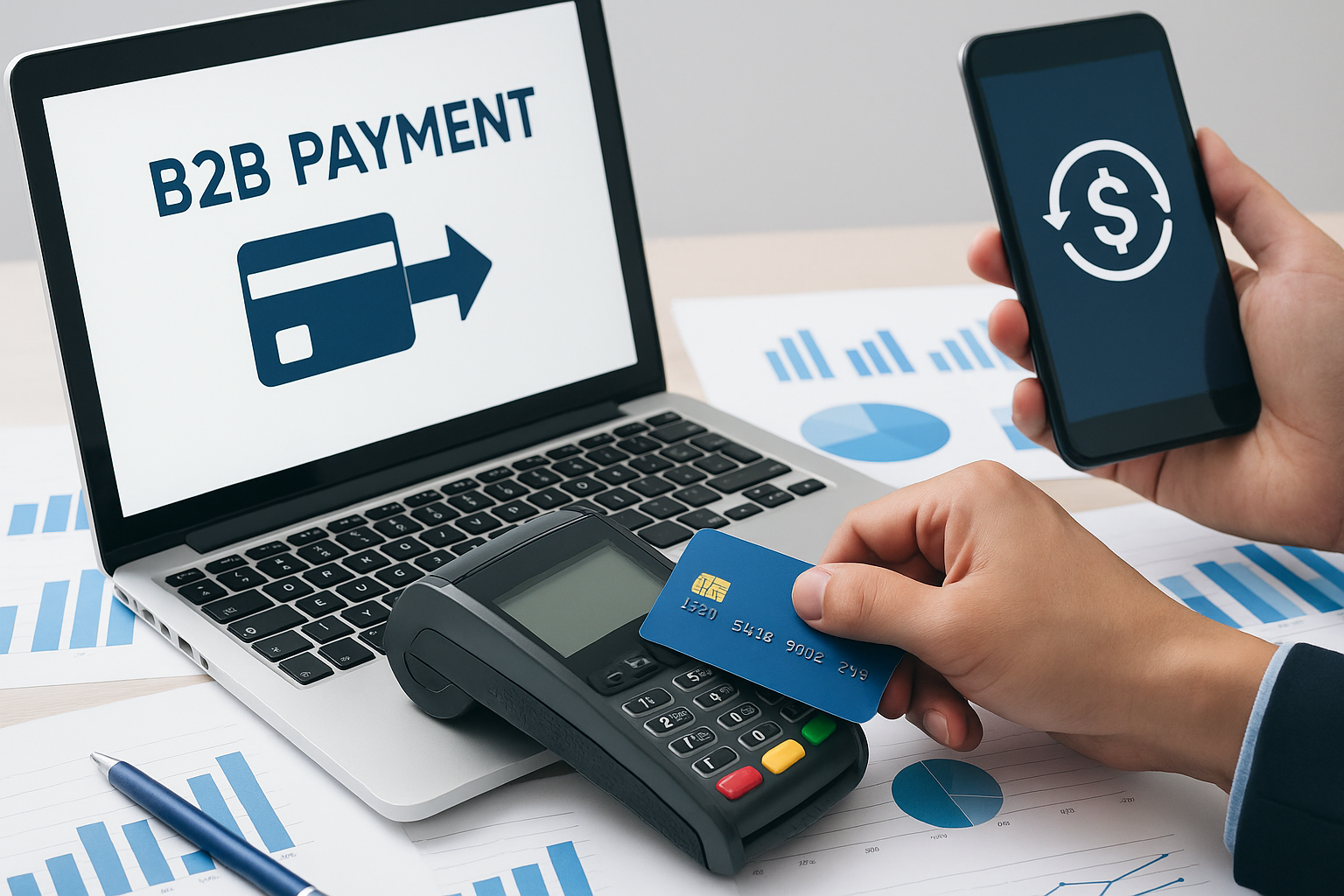
B2B Payment Processing: How Businesses Can Streamline, Secure, and Scale Payments
B2B payment processing is essential for managing cash flow, improving supplier relationships, and reducing manual finance work. Learn the main payment methods, common challenges, and best practices for streamlining business payments.